

TAXII Feed Synced
Overview
Section titled “Overview”The TAXII Feed Synced trigger starts an automation when a TAXII feed finishes syncing threat intelligence indicators and generating Hunt/Triage rules from them.
Use it for intelligence-driven hunting: as soon as new or updated indicators arrive from your CTI source, hunt for them on the assets you care about.
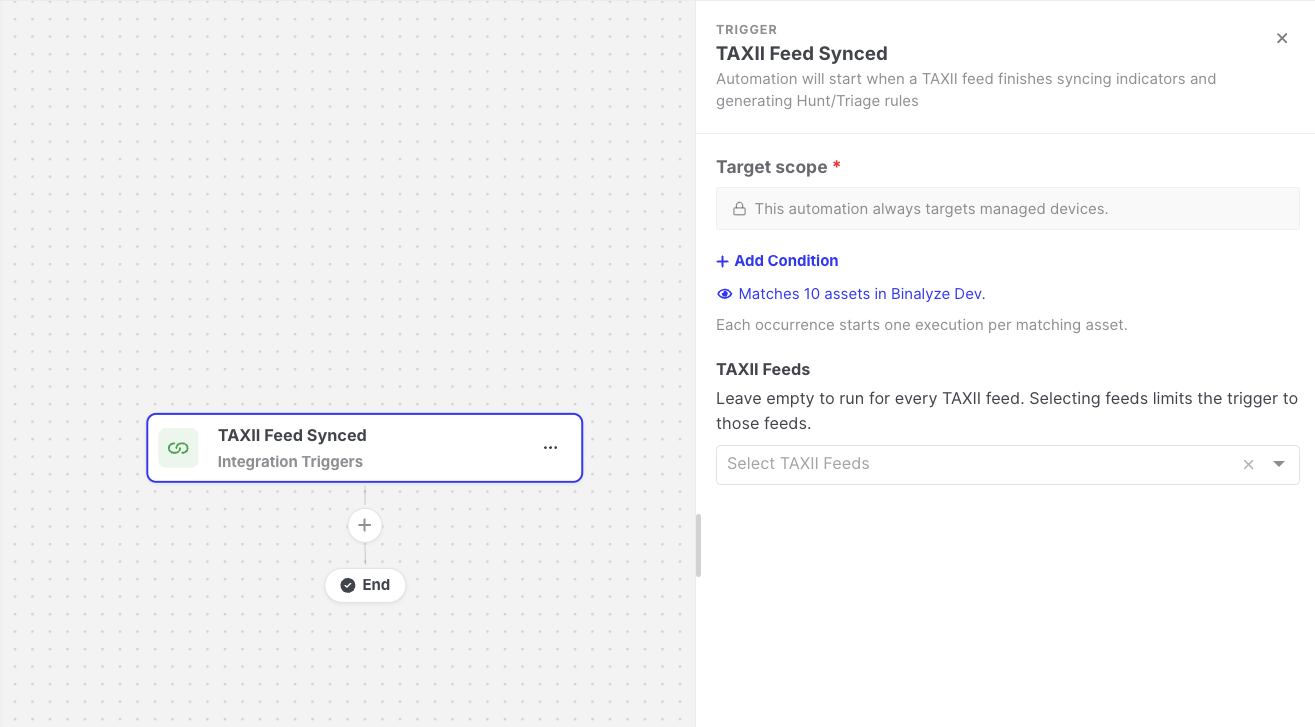
TAXII Feed Synced: Trigger settings
Settings
Section titled “Settings”| Setting | Description |
|---|---|
| Target scope | The assets the automation runs for after each sync. Every matching asset gets its own execution. See Asset targeting. |
| TAXII Feeds | Optional. Leave it empty to run for every TAXII feed, or select feeds to limit the trigger to them. |
How it works
Section titled “How it works”- The trigger fires after a feed sync completes successfully or partially successfully, whether the sync was scheduled or started manually.
- The automation only reacts to TAXII feeds in its own organization. A feed in another organization never starts it, so a feed never starts executions on assets outside its organization.
Data available to later steps
Section titled “Data available to later steps”| Field | Example expression |
|---|---|
| Feed name and ID | {{taxii-feed-synced.feedName}} |
| Sync status and how the sync was started | {{taxii-feed-synced.status}} |
| Indicators added, updated, deleted, and expired | {{taxii-feed-synced.indicatorsAdded}} |
| Rules created, updated, and deleted | {{taxii-feed-synced.rulesCreated}} |
| Tag names of the generated rules | {{taxii-feed-synced.triageRuleTagNames}} |
You can pass the tag names of the generated rules to the Start Hunt/Triage action, using the Match by tags rule selection, to hunt with exactly the rules this feed produced.
- This trigger is only available when the TAXII Feed feature is enabled on your Console.
- The Intel-Driven Automated Threat Hunting template provides a ready-made example. See Templates.