

Browser Automation
Overview
Section titled “Overview”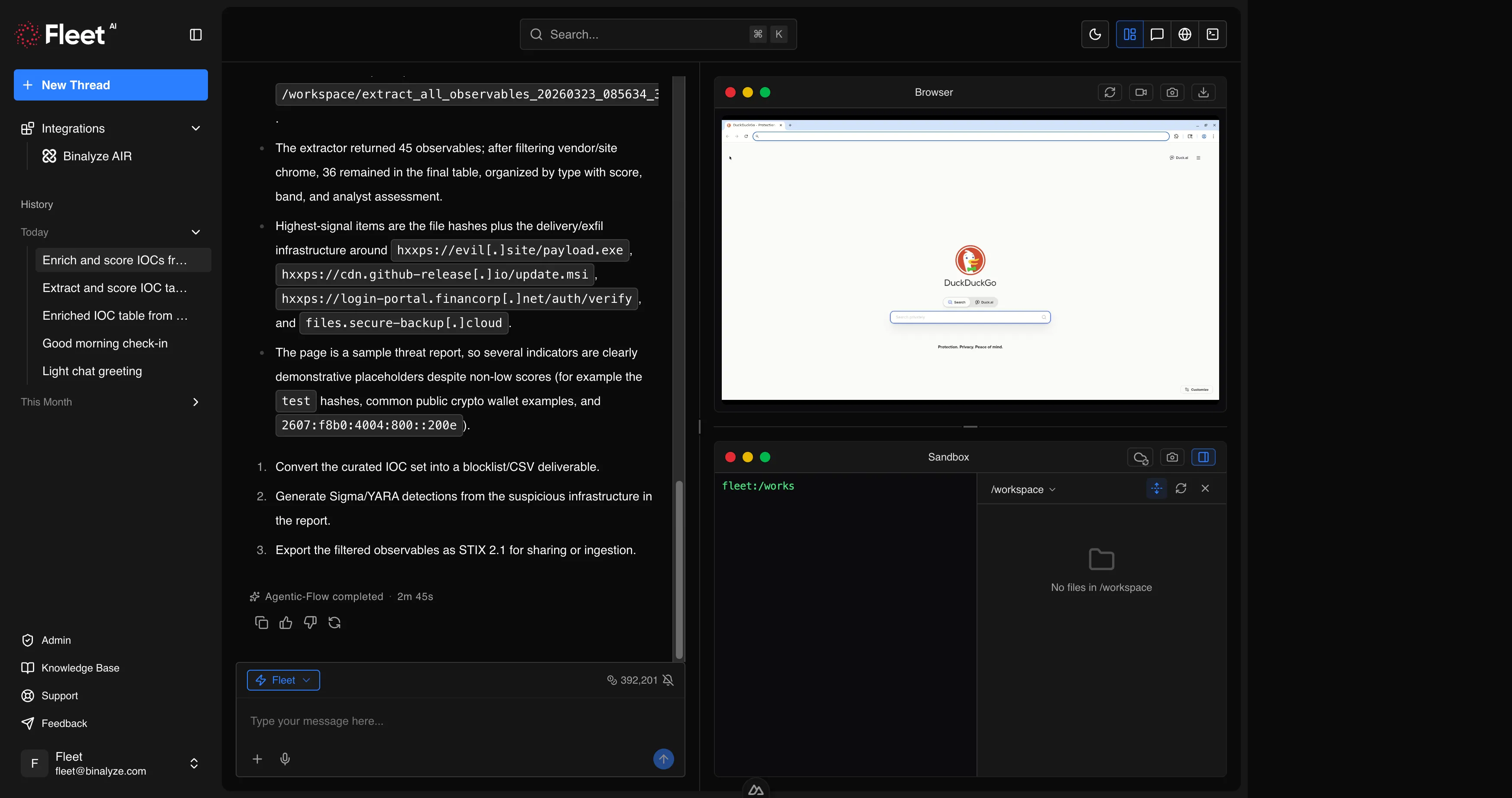
Fleet includes a remote browser that you can control through natural language commands. The browser runs in its own isolated environment, completely separate from your network and endpoints. This allows you to safely navigate to suspicious URLs, interact with web content, download files, and capture evidence without exposing your infrastructure.
Capabilities
Section titled “Capabilities”Navigation
Section titled “Navigation”Fleet can navigate the browser to any URL. The page loads in the isolated browser environment, and Fleet can read the page content, interact with elements, and capture the state.
Example prompts:
Navigate to https://example.com/suspicious-page and take a screenshot.Open the VirusTotal page for this hash: abc123def456...Page Interaction
Section titled “Page Interaction”Fleet can interact with web page elements: clicking buttons and links, typing text into form fields, scrolling, and hovering. This enables interaction with single-page applications, search interfaces, login forms (using test credentials), and multi-step web workflows.
Example prompts:
Go to the MalwareBazaar search page, search for "LokiBot", and show me the results.Navigate to the threat intel portal, click on "Recent Reports", and download the latest APT29 analysis.Screenshots
Section titled “Screenshots”Fleet can capture screenshots of the browser viewport or the full page. Screenshots are saved to your workspace for download.
Example prompts:
Take a full-page screenshot of the current page.Navigate to the phishing URL and capture a screenshot of what the victim would see.File Downloads
Section titled “File Downloads”Fleet can download files from web pages. Downloaded files are saved to the workspace and can be analyzed immediately using Fleet’s forensic capabilities.
Example prompts:
Download the malware sample from this MalwareBazaar link.Navigate to the vendor advisory page and download the PDF report.Session Recording
Section titled “Session Recording”Fleet can record browsing sessions, capturing the sequence of actions taken for audit trails and documentation. Recordings can be started and stopped on demand.
Example prompts:
Start recording the browser session.Stop recording and save the session.Use Cases
Section titled “Use Cases”Threat Intelligence Research
Section titled “Threat Intelligence Research”Use the browser to access threat intelligence portals, search for IOCs on VirusTotal or similar platforms, and download threat reports from vendor websites. Fleet can navigate multi-page results, interact with search interfaces, and extract relevant information.
Malware Sample Retrieval
Section titled “Malware Sample Retrieval”Safely download malware samples from repositories like MalwareBazaar, VirusTotal, or other malware sharing platforms. The browser’s isolated environment ensures that navigating to these sites poses no risk to your infrastructure.
Phishing Investigation
Section titled “Phishing Investigation”Navigate to suspected phishing URLs to capture what the victim would see, take screenshots for evidence documentation, and analyze the page content for credential harvesting forms, redirects, and embedded scripts.
Evidence Capture
Section titled “Evidence Capture”Document web-based evidence by navigating to relevant pages, taking screenshots, and downloading content. Session recording provides a complete audit trail of the browsing activity.
Single-Page Application Scraping
Section titled “Single-Page Application Scraping”Many modern threat intelligence platforms and security tools use single-page applications that cannot be accessed with simple URL fetching. The browser can interact with these applications, navigate through dynamic content, and extract the information you need.
Limitations
Section titled “Limitations”- The browser runs in an isolated environment and cannot access resources on your internal network.
- Some websites may block automated browsers or require CAPTCHA completion.
- The browser does not persist cookies or sessions between Fleet sessions.
- JavaScript-heavy pages may require additional interaction steps to fully load content.