

What is Fleet?
Overview
Section titled “Overview”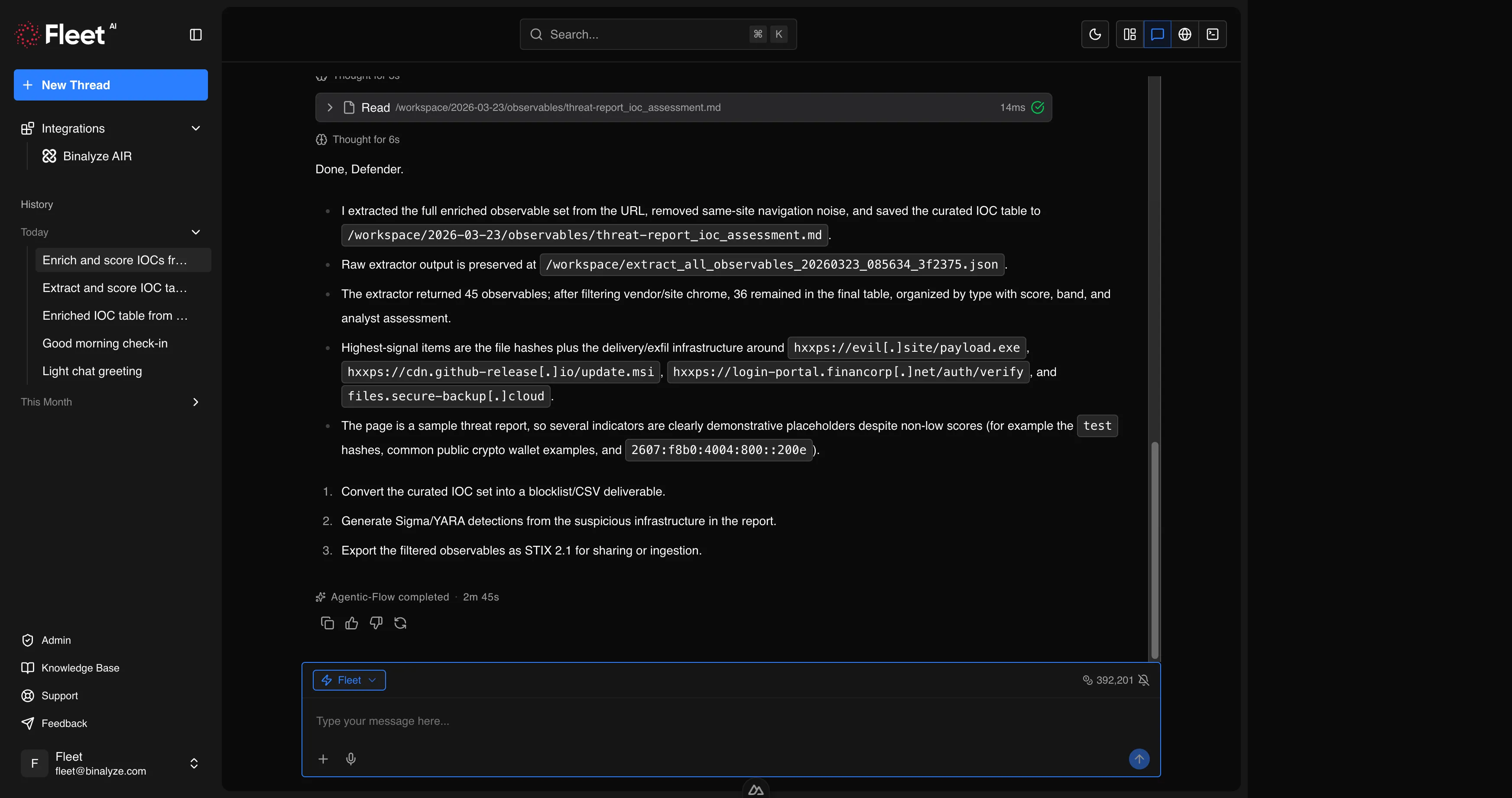
Fleet is an AI-powered SOC Analyst developed by Binalyze. It is a standalone product designed to accelerate and automate the work of cybersecurity professionals across the full spectrum of security operations.
Fleet is not a chatbot that answers general questions. It is a specialized analyst that runs real tools, produces verifiable outputs, and integrates directly with your AIR deployment. When you ask Fleet to analyze a binary, it performs actual static analysis with industry-standard reverse engineering tools. When you ask it to generate a YARA rule, it writes the rule, validates that it compiles, and can scan files with it. When you ask it to triage an endpoint, it connects to AIR and executes the operation.
Who Fleet is For
Section titled “Who Fleet is For”Fleet is built for security professionals who need to move fast without sacrificing depth:
- SOC Analysts who triage alerts, investigate incidents, and need rapid context on indicators of compromise
- Incident Responders who need to acquire evidence, analyze artifacts, and contain threats across distributed environments
- Threat Hunters who proactively search for adversary activity using detection rules, threat intelligence, and endpoint telemetry
- Detection Engineers who create, validate, and maintain YARA, Sigma, osquery, and Suricata rules
- Forensic Investigators who analyze malware, documents, network captures, event logs, and disk images
How Fleet Works
Section titled “How Fleet Works”Fleet provides a chat-based interface through its own web application. The workflow is straightforward:
- Start a conversation — open Fleet and start a new session. You can start with a blank prompt or choose from pre-configured quickstart cards.
- Provide context — describe what you need in natural language. Attach files by dragging and dropping them into the prompt, or use the attachment button. Fleet accepts any file type: executables, documents, archives, network captures, event logs, detection rules, images, and text files.
- Fleet analyzes — Fleet selects the appropriate tools and techniques for your request, executes the analysis in a secure isolated environment, and streams results back to you in real time. You can see its reasoning process and tool usage as it works.
- Review results — Fleet delivers structured outputs: IOC tables, detection rules, analysis reports, MITRE ATT&CK mappings, and actionable recommendations. All generated files are saved to your workspace for download.
- Iterate — ask follow-up questions, request deeper analysis on specific findings, or pivot to a new line of investigation. Fleet maintains context within the session.
Fleet always asks clarifying questions when a request is ambiguous rather than making assumptions that could lead to incorrect results.
What Fleet Can Do
Section titled “What Fleet Can Do”Fleet’s capabilities span the full range of security operations. Each capability is covered in detail in the Features section.
Detection Engineering
Section titled “Detection Engineering”Generate and validate detection rules from natural language descriptions, threat reports, or malware analysis findings:
- YARA rules — create rules for file and memory scanning, validate compilation, scan files, fix broken rules
- Sigma rules — create rules from attack scenarios, validate against the Sigma specification, convert to Splunk SPL and Microsoft Sentinel KQL, test against sample logs
- osquery queries — generate SQL queries for endpoint state inspection, validate syntax and column references
- Suricata rules — validate IDS/IPS rule syntax
Malware Analysis and Reverse Engineering
Section titled “Malware Analysis and Reverse Engineering”Perform deep static analysis on suspicious files:
- Windows executables (PE) — headers, sections, imports, exports, strings, entropy, packer detection, disassembly
- Linux executables (ELF) — structure analysis, symbol extraction, capability identification
- .NET assemblies — decompilation to C# source code, deobfuscation (SmartAssembly and similar), metadata extraction, API hash resolution
- Shellcode — decoding, disassembly, capability classification, XOR key brute-forcing
- Packed malware — packer identification, unpacking, side-by-side comparison of packed vs. unpacked variants
Document Analysis
Section titled “Document Analysis”Investigate documents for embedded threats:
- Office documents (Word, Excel, PowerPoint) — VBA macro extraction and deobfuscation, embedded OLE objects, ActiveX controls, DDE fields, external template injection
- PDF files — JavaScript extraction, embedded file detection, URL extraction, metadata analysis
- RTF and CAB files — embedded payload detection, exploit analysis
Network Forensics
Section titled “Network Forensics”Analyze network captures for malicious activity:
- PCAP analysis — protocol breakdown, DNS query extraction, HTTP/TLS inspection, connection statistics
- C2 detection — beacon pattern identification, unusual port usage, high-entropy data transfers
- Exfiltration indicators — data staging detection, unusual outbound connections, DNS tunneling
Threat Intelligence
Section titled “Threat Intelligence”Extract, enrich, and operationalize threat intelligence:
- Observable extraction — extract IOCs (IPs, domains, URLs, hashes, emails, mutexes, registry keys, file paths) from URLs, documents, text, and files
- Enrichment and scoring — automatic reputation checking, risk scoring with confidence levels, domain popularity analysis, known-good software identification
- STIX 2.1 — generate structured threat intelligence bundles
- Web research — search for the latest threat advisories, CVE details, and security research
- Report processing — locate, download, and convert vendor advisories and APT reports into actionable intelligence packages
AIR Operations
Section titled “AIR Operations”Interact with your AIR deployment directly from Fleet:
- Endpoint management — list, search, isolate, tag, and reboot managed endpoints
- Case management — create, update, and close investigation cases
- Evidence acquisition — trigger forensic evidence collection using built-in or custom acquisition profiles
- Triage — deploy YARA, Sigma, and osquery rules to endpoints
- interACT — execute remote commands on managed endpoints, transfer files
- Investigation — browse collected evidence and DRONE findings
Browser Automation
Section titled “Browser Automation”Control a remote browser for web-based research and evidence collection:
- Navigate to URLs, interact with page elements, take screenshots, download files
- Record browsing sessions for audit trails
- Safely interact with suspicious web content in an isolated environment
Workspace and Terminal
Section titled “Workspace and Terminal”A full working environment for hands-on analysis:
- Workspace — persistent file storage for uploads, analysis outputs, and generated reports with a browsable file tree
- Terminal — interactive shell sessions with a full Linux environment and standard utilities
What Fleet Cannot Do
Section titled “What Fleet Cannot Do”- Fleet does not have direct access to production systems, internal networks, or user endpoints. It operates in an isolated environment and can only interact with AIR through the authenticated API integration.
- Fleet works only with evidence and files you provide. It cannot independently scan your network or pull data from systems you have not connected.
- Fleet requires an internet connection and is available only in online mode.
- Context is scoped to the current session. Fleet does not retain memory across separate conversations.
Requirements
Section titled “Requirements”| Requirement | Details |
|---|---|
| AIR Version | 4.41 or later (for AIR integration) |
| Internet Connectivity | Required |
| Licensing | Fleet license required |
Getting Started
Section titled “Getting Started”Fleet is a standalone web application. Log in at your organization’s Fleet URL with your credentials. No additional software installation is required. To connect Fleet to your AIR deployment, configure the API integration in Fleet’s settings.