

Runs
Overview
Section titled “Overview”A run is a single occurrence of an automation’s trigger. Every time the trigger fires and at least one asset matches, AIR creates one run.
A run acts as a container: it holds one execution for each asset the automation works on. See Executions.
| When the trigger fires… | The run contains… |
|---|---|
| A device registers (event trigger) | 1 execution, for that device |
| A schedule becomes due and the target scope matches 250 assets | 250 executions, one per asset |
| An HTTP request arrives with a filter that matches 3 assets | 3 executions |
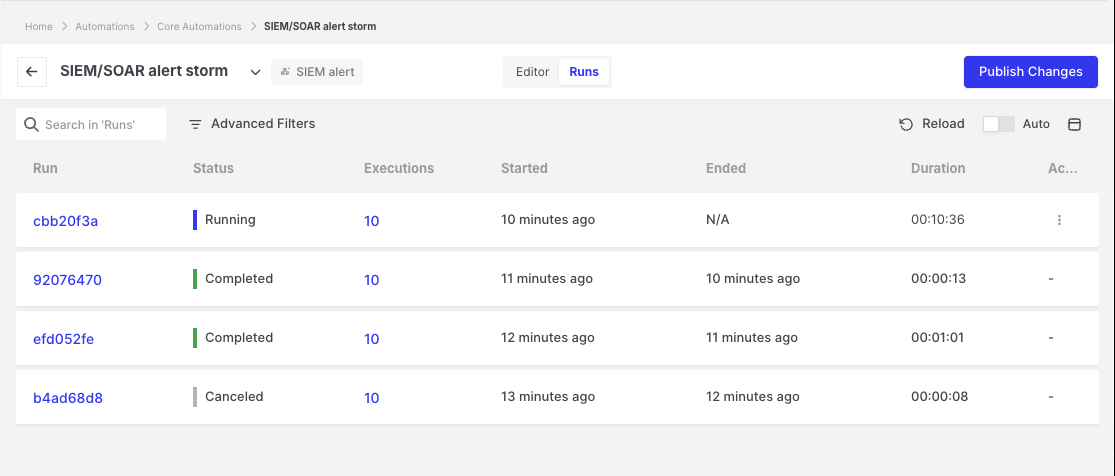
Runs: Runs tab of an automation
When a run is created
Section titled “When a run is created”AIR creates a run only when all of the following conditions are met:
- The automation is published.
- The trigger’s event filters match, for example the selected triage rule or case.
- The target scope resolves to at least one asset. See Asset targeting.
- Automations are enabled in your license.
If any condition is not met, no run is recorded. An empty runs list is therefore expected when, for example, an event occurs on an asset outside the target scope.
Viewing runs
Section titled “Viewing runs”Open an automation and select the Runs tab. Each run shows:
- Started, Ended, and Duration
- Status
- Executions: the total number of executions. Hover over the number to see how many executions are pending, running, completed, failed, and canceled. Click the total or a status count to open the run’s executions, filtered by that status.
Opening a run displays a Run Summary (start time, end time, duration, and execution counts), followed by the list of its executions.
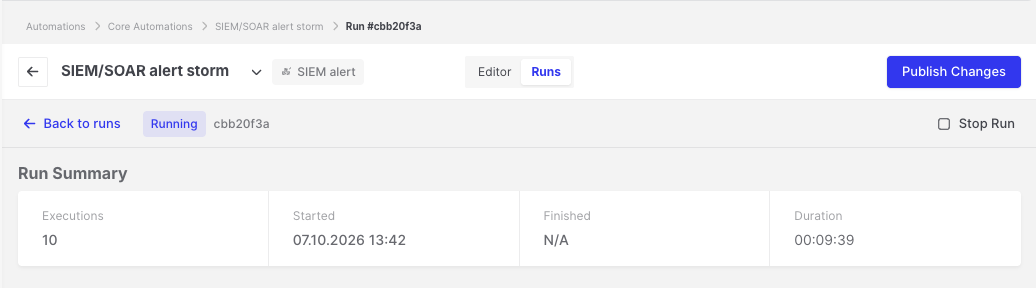
Runs: Run Summary with execution counts
Run status
Section titled “Run status”AIR calculates the status of a run from the status of its executions:
| Status | Description |
|---|---|
| Pending | All executions are waiting to start. |
| Running | At least one execution is still pending or running. |
| Completed | All executions completed successfully. |
| Failed | All executions have finished, and at least one of them failed. |
| Canceled | All executions have finished, and at least one of them was stopped. |
Stopping a run
Section titled “Stopping a run”Users with the Manage Automations privilege can click Stop Run to cancel every pending and running execution of the run.
- Steps already in progress may finish, but no further steps start.
- Stopping a run does not cancel AIR tasks that the automation has already created, such as an acquisition already running on the asset. If needed, cancel these tasks from the task screens.
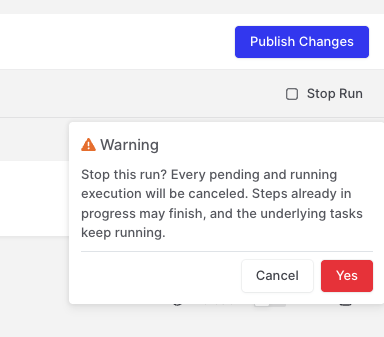
Runs: Stop Run confirmation
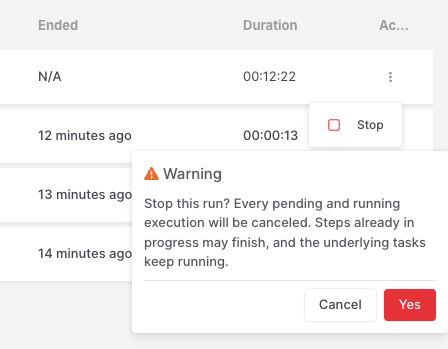
Runs: Stop Run confirmation on list
Retention
Section titled “Retention”AIR keeps runs and their executions for 30 days and then deletes them automatically. The automation itself and its Change History are not affected.