

Isolate Device
Overview
Section titled “Overview”The Isolate Device action isolates the asset from the trigger from the network, or removes an existing isolation.
Isolation blocks the asset’s network access while keeping it connected to AIR, so you can continue to investigate it. The action uses the same rules and allow lists as isolating an asset manually. See Asset Isolation.
Use it to contain threats quickly, for example to isolate an asset as soon as an acquisition produces high-severity findings.
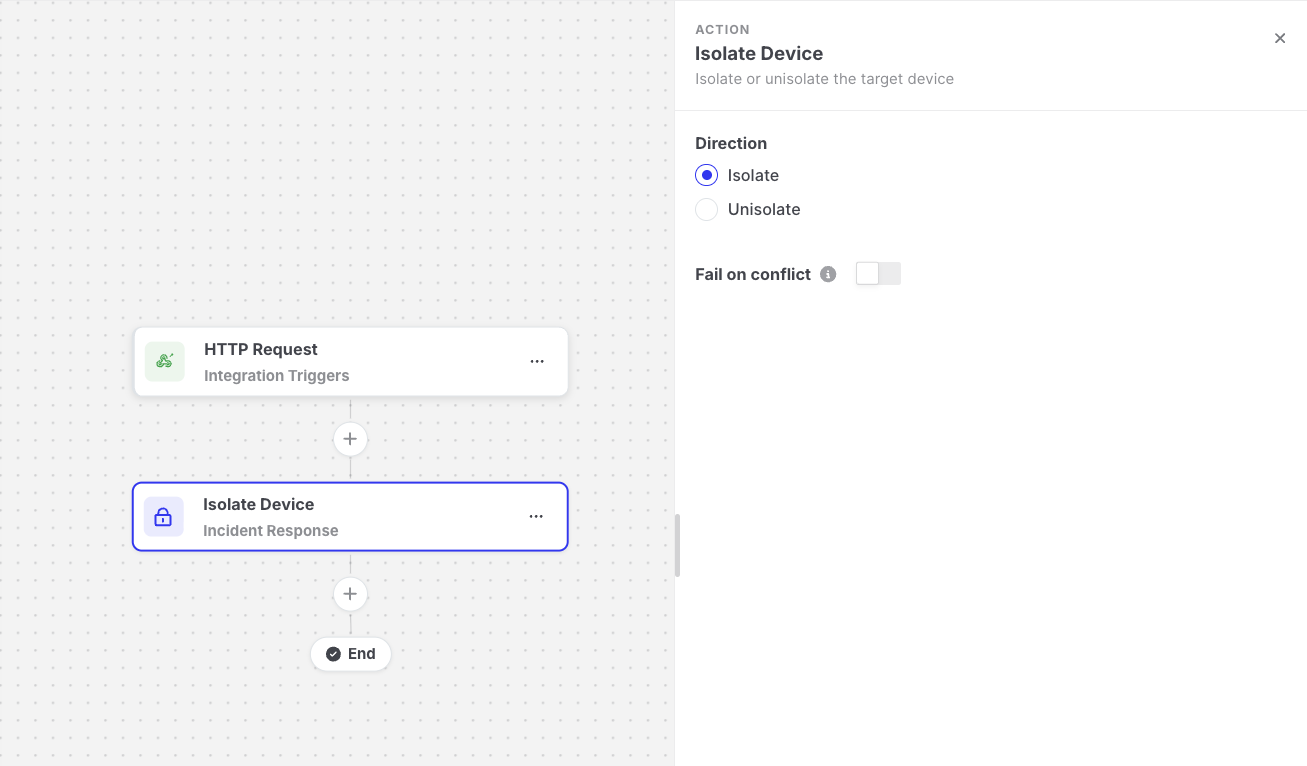
Isolate Device: Action settings
Settings
Section titled “Settings”| Setting | Description |
|---|---|
| Direction | Isolate disconnects the asset from the network. Unisolate restores the network access of an isolated asset. |
| Fail on conflict | Off by default. Defines what happens when the isolation change cannot be started because of the asset’s current state. See Fail on conflict. |
How it works
Section titled “How it works”- AIR checks the asset’s current isolation status.
- If the change is possible, AIR assigns an isolation task to the asset, and the step shows Deferred.
- The step only succeeds when the asset actually reports the new status, Isolated or Unisolated. A completed isolation task only means that the task was delivered, so the step keeps waiting until the status changes.
- The next action starts.
If the isolation task fails, is canceled, or expires, the step and the execution fail.
Fail on conflict
Section titled “Fail on conflict”An isolation change can only start when the asset is in the opposite state:
| Direction | Can start when the asset is… | Conflict when the asset is… |
|---|---|---|
| Isolate | Unisolated | Already Isolated, or currently Isolating or Unisolating |
| Unisolate | Isolated | Already Unisolated, or currently Isolating or Unisolating |
When there is a conflict, no isolation task is created. The Fail on conflict setting defines what happens to the automation:
| Fail on conflict | Result | When to use it |
|---|---|---|
| Off (default) | The step is skipped and marked as Success, and the automation continues with the next action. | When the goal is to make sure the asset is isolated. An asset that is already isolated is acceptable, and you still want the following notification to be sent. |
| On | The step fails, and the execution stops with the Failed status. | When the next actions must only run if this automation changed the isolation status, for example to avoid sending an “asset has been isolated” message when someone else already isolated it. |
The execution details of the step explain why it was skipped, for example: The device was already in the requested isolation state, so no task was scheduled.
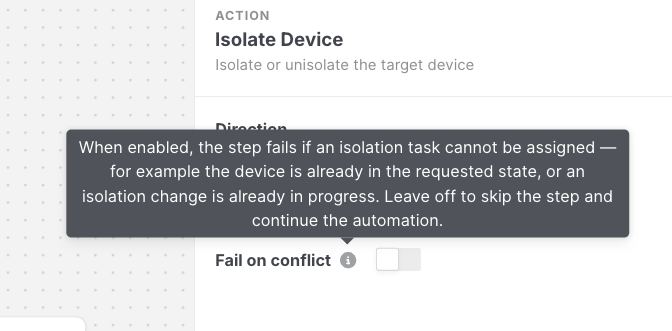
Isolate Device: Fail on conflict tooltip
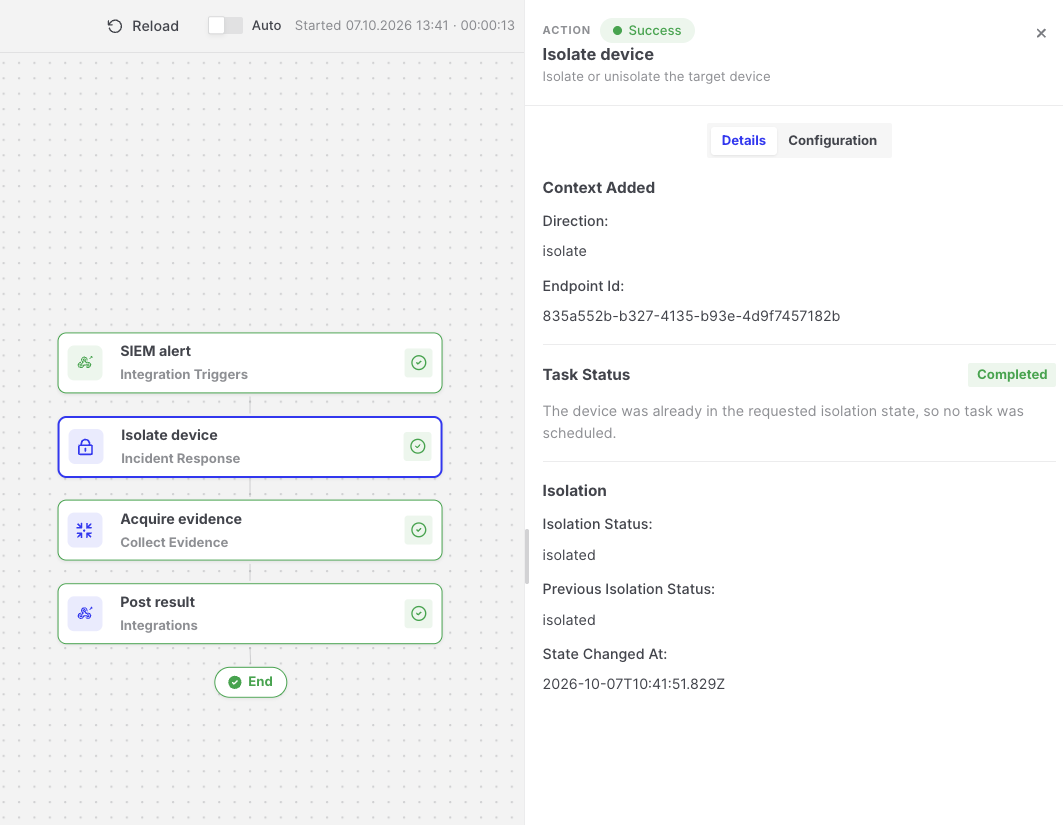
Isolate Device: Execution details of a skipped isolation step
Output available to later steps
Section titled “Output available to later steps”| Field | Example expression |
|---|---|
| Isolation status after the step | {{isolate-device.output.isolationStatus}} |
| Isolation status before the step | {{isolate-device.output.previousIsolationStatus}} |
| Whether the asset was already in the requested state | {{isolate-device.output.alreadyInDesiredState}} |
| Task link | {{isolate-device.output.taskDetailsViewUrl}} |
- Isolation changes made by this action also start automations that use the Isolation Status Changed trigger.
- The Isolated Assets with High Severity Findings template provides a ready-made example. See Templates.