

Start Hunt/Triage
Overview
Section titled “Overview”The Start Hunt/Triage action runs selected Hunt/Triage rules on the asset from the trigger and waits until the task finishes.
Use it to hunt automatically, for example to scan every newly registered asset with your ransomware YARA rules, or to hunt with the rules a TAXII feed has just generated.
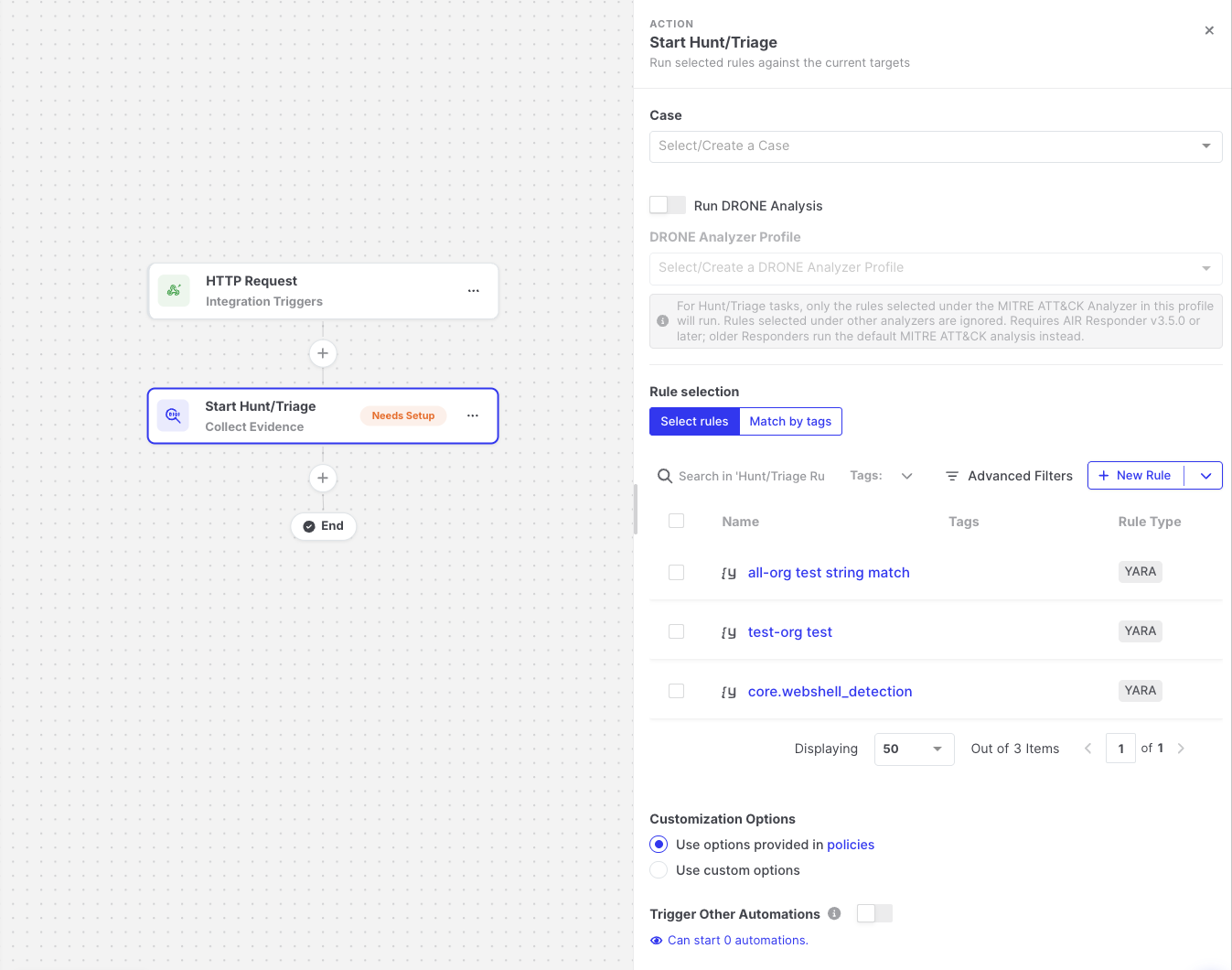
Start Hunt/Triage: Action settings
Settings
Section titled “Settings”| Setting | Description |
|---|---|
| Case | The case the triage is added to. Required when the Case Selection setting enforces mandatory case selection. |
| DRONE Analyzer Profile / MITRE ATT&CK | Optionally runs MITRE ATT&CK analysis together with the triage. |
| Rule selection > Select rules | Select specific Hunt/Triage rules. |
| Rule selection > Match by tags | Enter tag names, separated by commas, to use all rules that have these tags. Supports expressions. See Selecting rules by tags. |
| Advanced options | The same task options as a manual Hunt/Triage task, such as resource limits and scan options. |
| Trigger Other Automations | Off by default. When enabled, the triage created by this action can start other automations that use the Hunt/Triage Completed trigger. Leave it off to avoid automation loops. |
You can combine selected rules and tags. Rules are resolved when the automation runs; if no rule matches the selection at that time, the step fails.
Selecting rules by tags
Section titled “Selecting rules by tags”With Match by tags, the action uses every Hunt/Triage rule that has at least one of the given tags. Because rules are resolved when the automation runs, rules that are added or tagged later are included automatically, without editing the automation.
The field supports expressions, so the tags can be fixed or come from earlier steps:
| Tags entered | Rules used |
|---|---|
ransomware, lateral-movement | All rules tagged ransomware or lateral-movement. |
{{taxii-feed-synced.triageRuleTagNames}} | The rules generated by the TAXII feed sync that started the automation. |
{{git-repository-synced.triageRuleTagNames}} | The rules generated by the Git repository sync that started the automation. |
{{variables.HUNT_TAGS}} | The tags stored in a variable, so you can change them in one place for every automation that uses them. |
You can also mix fixed tags and expressions, for example ransomware, {{taxii-feed-synced.triageRuleTagNames}}.
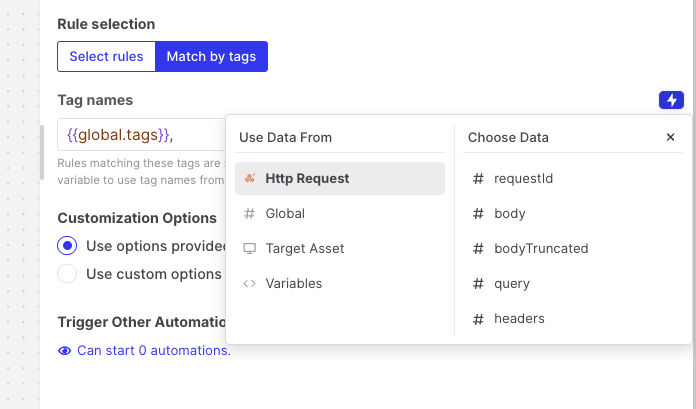
Start Hunt/Triage: Match by tags with an expression
Output available to later steps
Section titled “Output available to later steps”| Field | Example expression |
|---|---|
| Task status and link | {{start-triage.output.taskStatus}}, {{start-triage.output.taskDetailsViewUrl}} |
| Total matches | {{start-triage.output.totalMatches}} |
| File and memory matches | {{start-triage.output.fileMatches}} |
| Number of rules that matched | {{start-triage.output.matchedRuleCount}} |
| Matches per rule | {{json start-triage.output.matchesByRule}} |
Match counts are best-effort. If a value cannot be read, it is omitted rather than shown as zero.
Example
Section titled “Example”The Intel-Driven Automated Threat Hunting template combines TAXII Feed Synced, Start Hunt/Triage (matching by the feed’s rule tags), and Send Email. See Templates.