

Device Removed
Overview
Section titled “Overview”The Device Removed trigger starts an automation when an asset leaves the fleet. It covers two cases, which are handled the same way:
- The asset’s Responder is uninstalled.
- The asset is deleted or purged from AIR.
Use it to keep other systems in sync, for example to notify the IT team, or to update your CMDB through an HTTP request when an asset is removed.
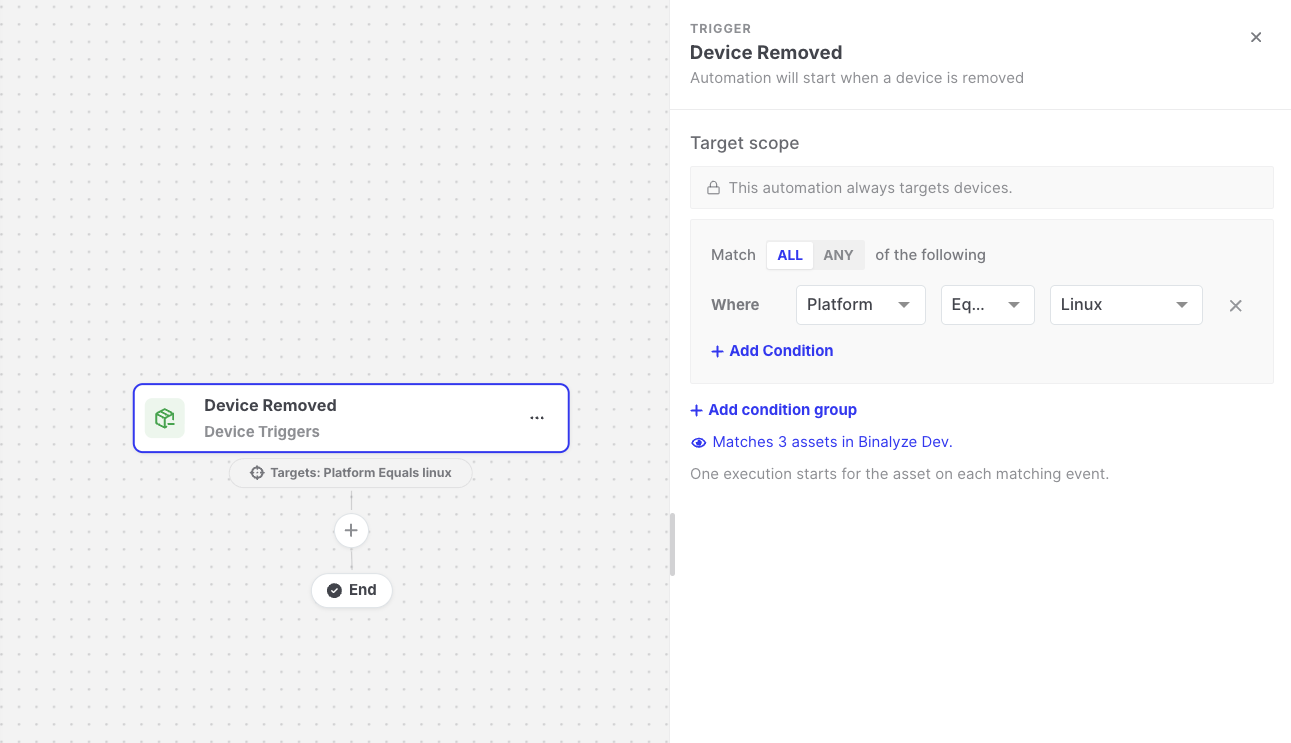
Device Removed: Trigger settings
Settings
Section titled “Settings”| Setting | Description |
|---|---|
| Target scope | The removed assets the automation runs for. See Asset targeting. |
Because the asset no longer exists when the automation runs, AIR evaluates the target scope against the asset’s details at the moment of removal. For this reason, the filter offers a shorter list of fields: name, label, OS, version, platform, architecture, group, IP and MAC address, network interface, server flag, tags, asset type, and managed status.
Unlike other triggers, Device Removed only requires Asset type is Endpoint. It does not require the asset to be managed, because removed assets usually are not.
Data available to later steps
Section titled “Data available to later steps”| Field | Example expression |
|---|---|
| Asset name and ID | {{device-removed.endpointName}} |
| Platform, OS, architecture, and Responder version | {{device-removed.platform}} |
| IP address and network interfaces | {{device-removed.ipAddress}} |
| Organization | {{device-removed.organizationId}} |
- The trigger does not distinguish between an uninstall and a deletion, and there is no setting to select one or the other.
- An operation that purges and uninstalls an asset at the same time produces two events, so the automation runs twice for that asset.
- Actions that require a live asset, such as Start Evidence Acquisition, Start Hunt/Triage, and Isolate Device, cannot work after the asset has been removed. Use notification and integration actions with this trigger instead.