

Send Email
Overview
Section titled “Overview”The Send Email action sends an email to one or more recipients.
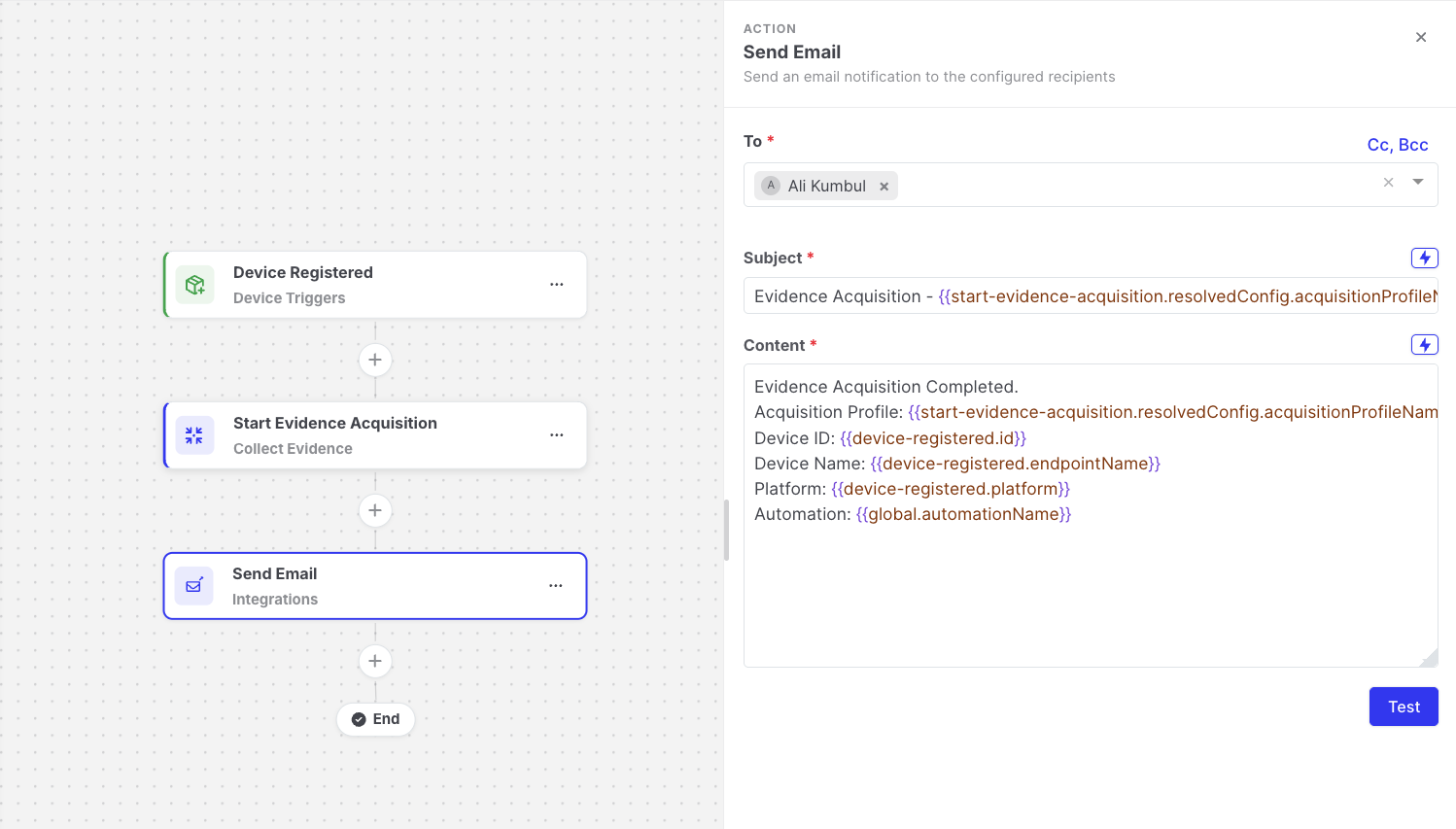
Send Email: Action settings
Prerequisites: configure SMTP
Section titled “Prerequisites: configure SMTP”The action sends email through the Console’s SMTP settings and does not have its own mail server settings. Configure and verify SMTP first. See SMTP (Email Configuration).
If SMTP is not configured, or AIR cannot connect to the SMTP server when the step runs, the step fails.
Settings
Section titled “Settings”| Setting | Description |
|---|---|
| To | Required. One or more recipient addresses. |
| Cc, Bcc | Optional. Additional recipients. Hidden by default; click Cc, Bcc to show these fields. |
| Subject | The subject line. Supports expressions. |
| Content | The body of the email. Supports expressions. |
Subject: [AIR] {{global.automationName}} completed on {{targetAsset.name}}
The automation finished on {{targetAsset.name}} ({{targetAsset.ipAddress}}).High-severity findings: {{start-evidence-acquisition.output.findingCounts.high}}Task: {{start-evidence-acquisition.output.taskDetailsViewUrl}}
Adding Cc and Bcc recipients
Section titled “Adding Cc and Bcc recipients”The Cc and Bcc fields are hidden by default. To add carbon copy or blind carbon copy recipients:
- Next to the To field, click Cc, Bcc.
- Enter one or more addresses in the Cc field, the Bcc field, or both.
Recipients in Bcc receive the email, but their addresses are not visible to the other recipients.
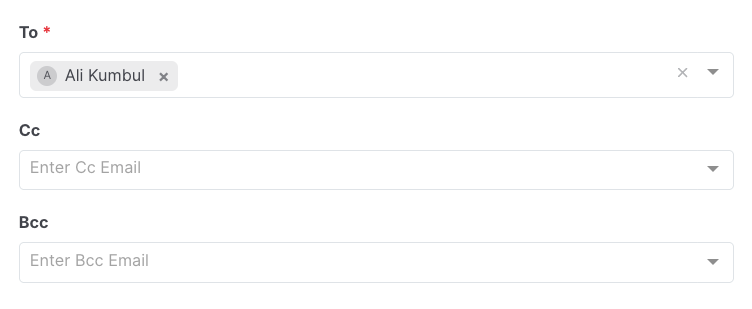
Send Email: Cc and Bcc fields
Output available to later steps
Section titled “Output available to later steps”| Field | Example expression |
|---|---|
| Recipients | {{send-email.resolvedConfig.to}} |
| Subject as sent | {{send-email.resolvedConfig.subject}} |
- Use Test to send a test email to the recipients.
- One email is sent per execution. For example, an automation that runs on 20 assets sends 20 emails.