

Device Registered
Overview
Section titled “Overview”The Device Registered trigger starts an automation when a new asset registers with AIR, that is, when a Responder is installed and the asset connects to the Console.
Use it to onboard assets automatically, for example to take an initial evidence acquisition or baseline, apply Auto Asset Tagging, or notify the team that a new server has joined.
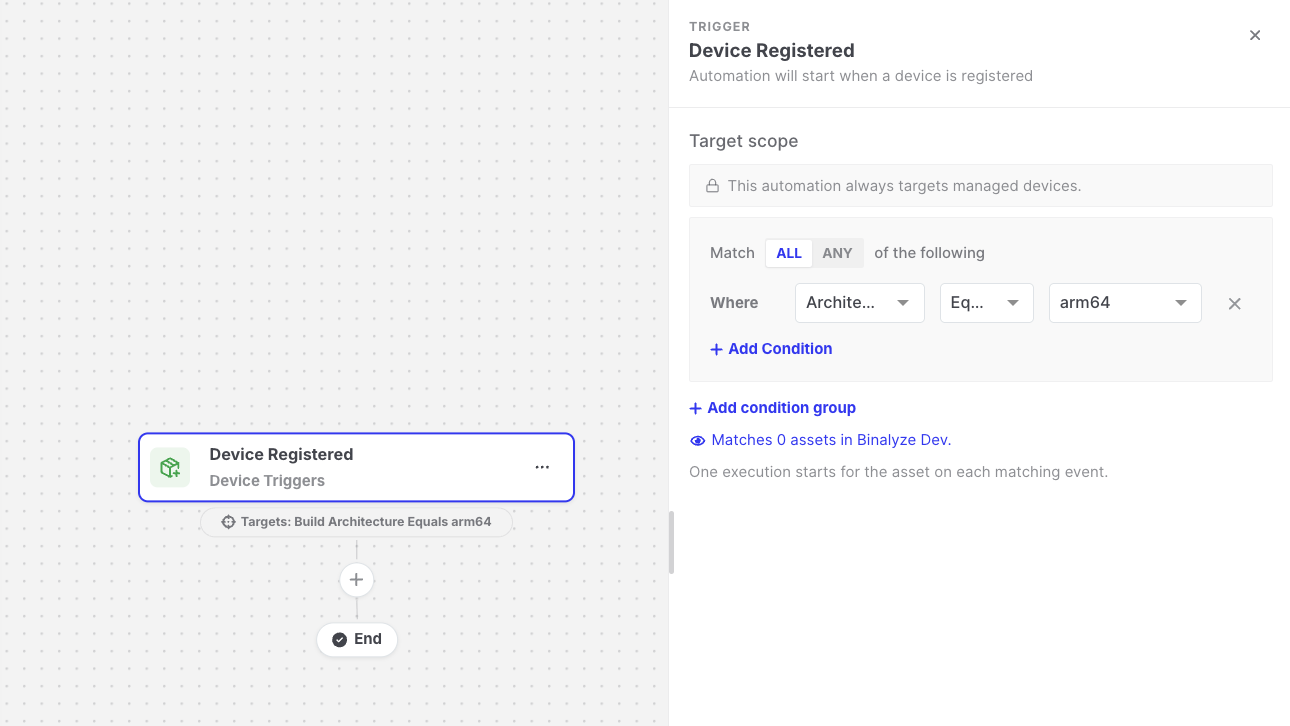
Device Registered: Trigger settings
Settings
Section titled “Settings”| Setting | Description |
|---|---|
| Target scope | The newly registered assets the automation runs for, for example Platform is Windows AND Is Server is true. Leave it empty to run for every new managed endpoint. See Asset targeting. |
Data available to later steps
Section titled “Data available to later steps”| Field | Example expression |
|---|---|
| Asset name | {{device-registered.endpointName}} |
| Platform, OS, and Responder version | {{device-registered.os}} |
| IP address and group | {{device-registered.ipAddress}} |
| Whether the asset is a server | {{device-registered.isServer}} |
The same asset information is also available through {{targetAsset.*}} expressions.
Example
Section titled “Example”The Automated Incident Response on Asset Deployment template uses this trigger to start an evidence acquisition on every new asset and send an email when the acquisition finishes. See Templates.