

Enable Service Account Key Creation
Enable Service Account Key Creation
Section titled “Enable Service Account Key Creation ”If you encounter difficulties creating a service account key for integration with your data transfer tool, you might see an error similar to this:
‘The organization policy constraint “iam.disableServiceAccountKeyCreation” is enforced on your organization.’
To enable the creation of service account keys, please follow these steps:
In the main interface of your cloud management platform, open the navigation menu from the top left corner.
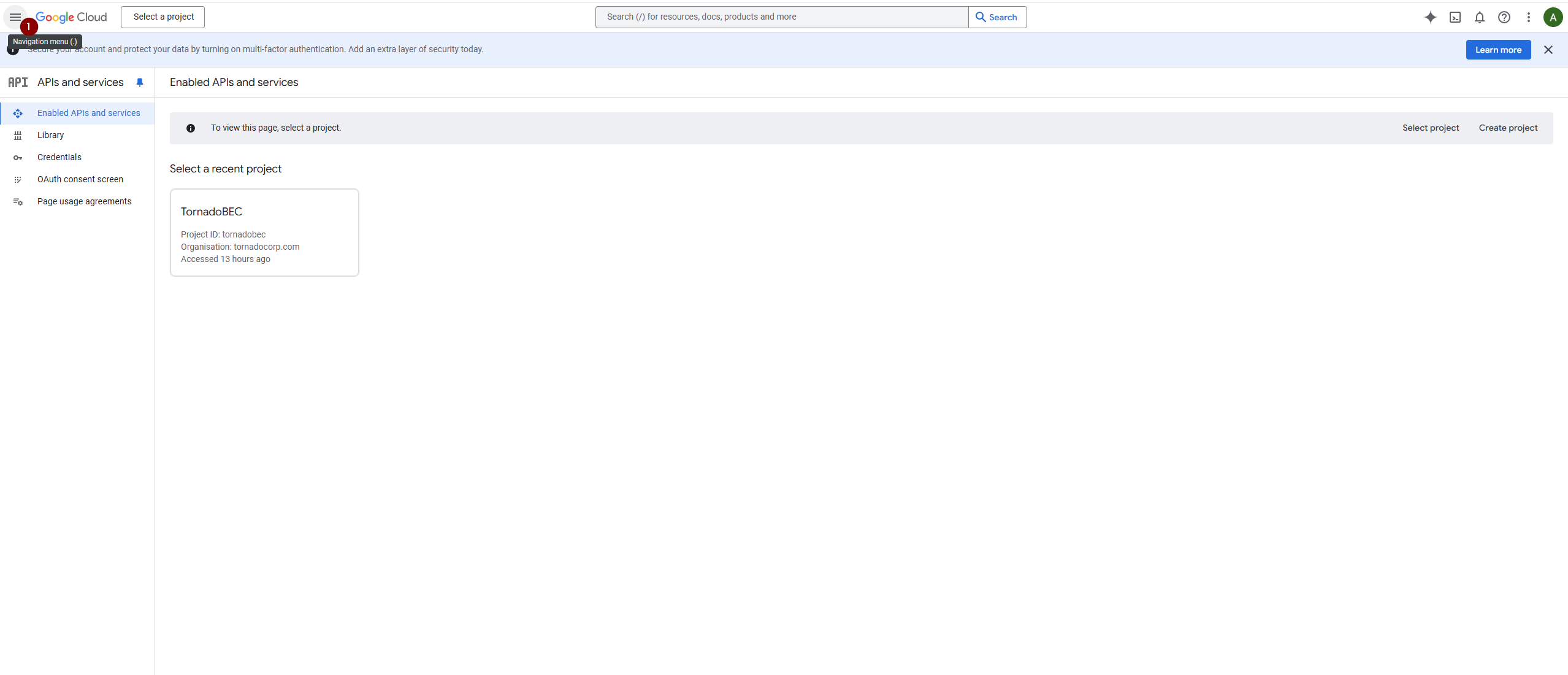
Enable Service Account Key Creation: Fig1
Go to ‘IAM & Admin’ and select ‘IAM’.
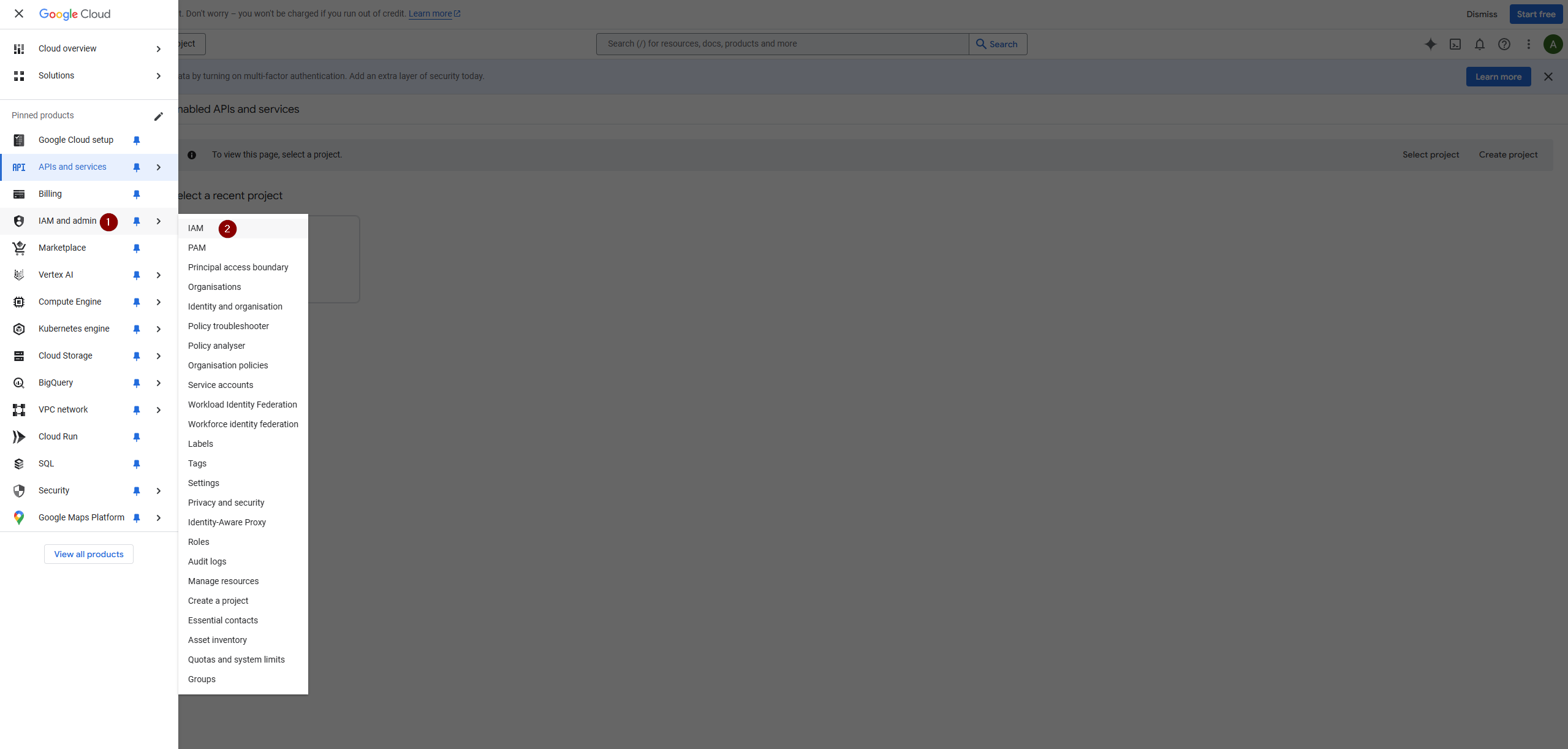
Enable Service Account Key Creation: Fig2
Access the list of projects, typically set up during the initial domain configuration.
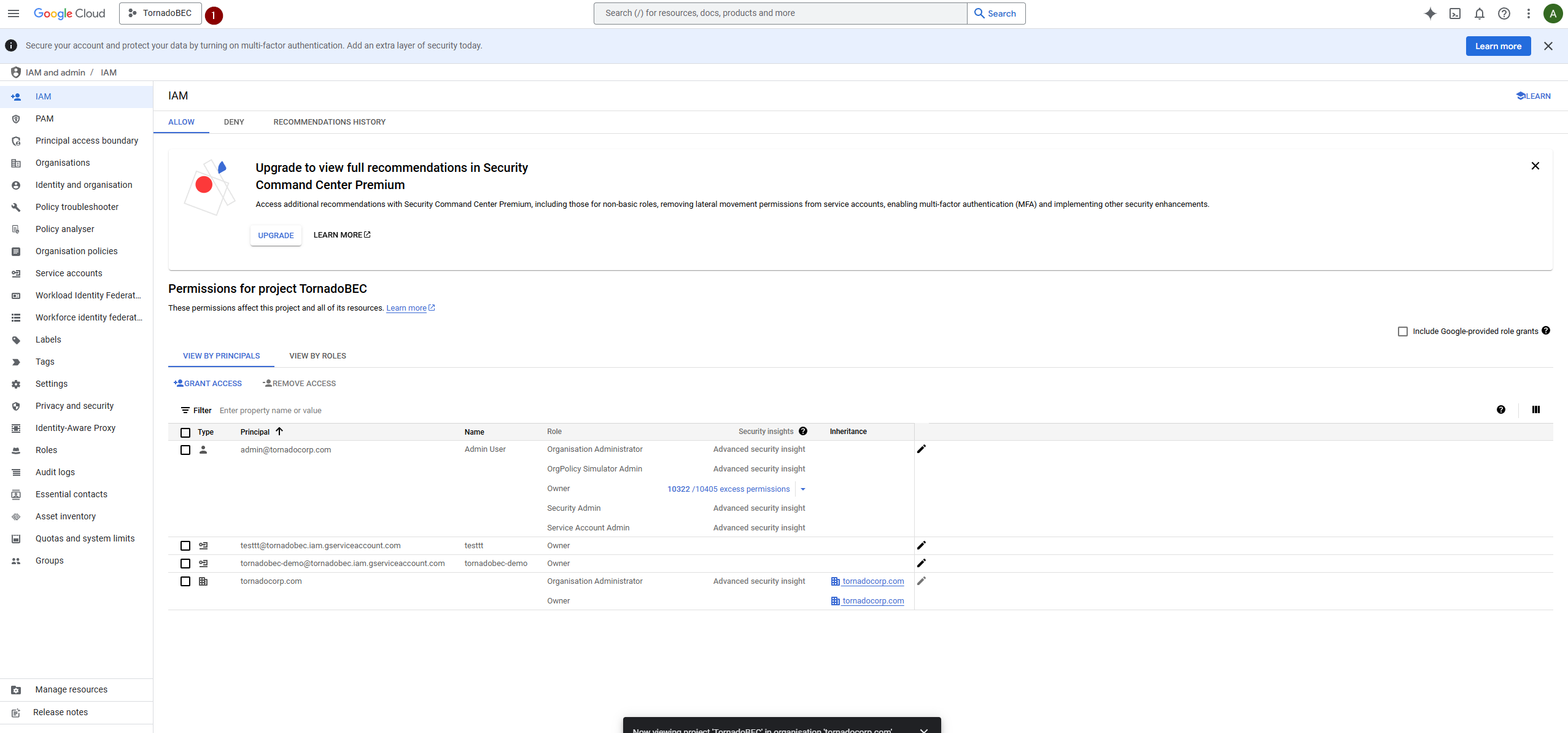
Enable Service Account Key Creation: Fig3
Identify and select the organizational unit associated with your domain.
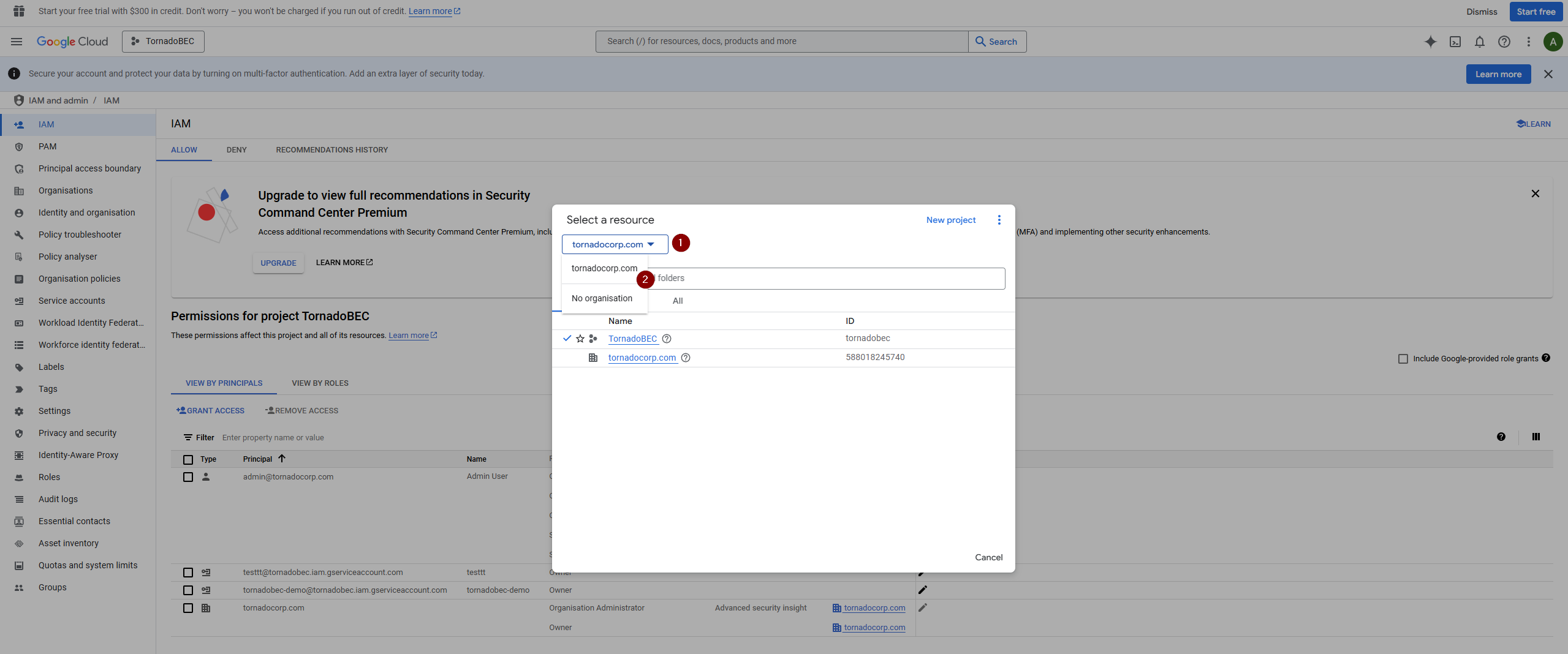
Enable Service Account Key Creation: Fig4
Verify that the account you are logged in with, preferably an organization administrator’s account, has the following roles assigned:
- Organization Administrator
- Organization Policy Administrator
- Owner: If any roles are missing, proceed to grant access.
In the role management section, add any necessary roles and save the changes.
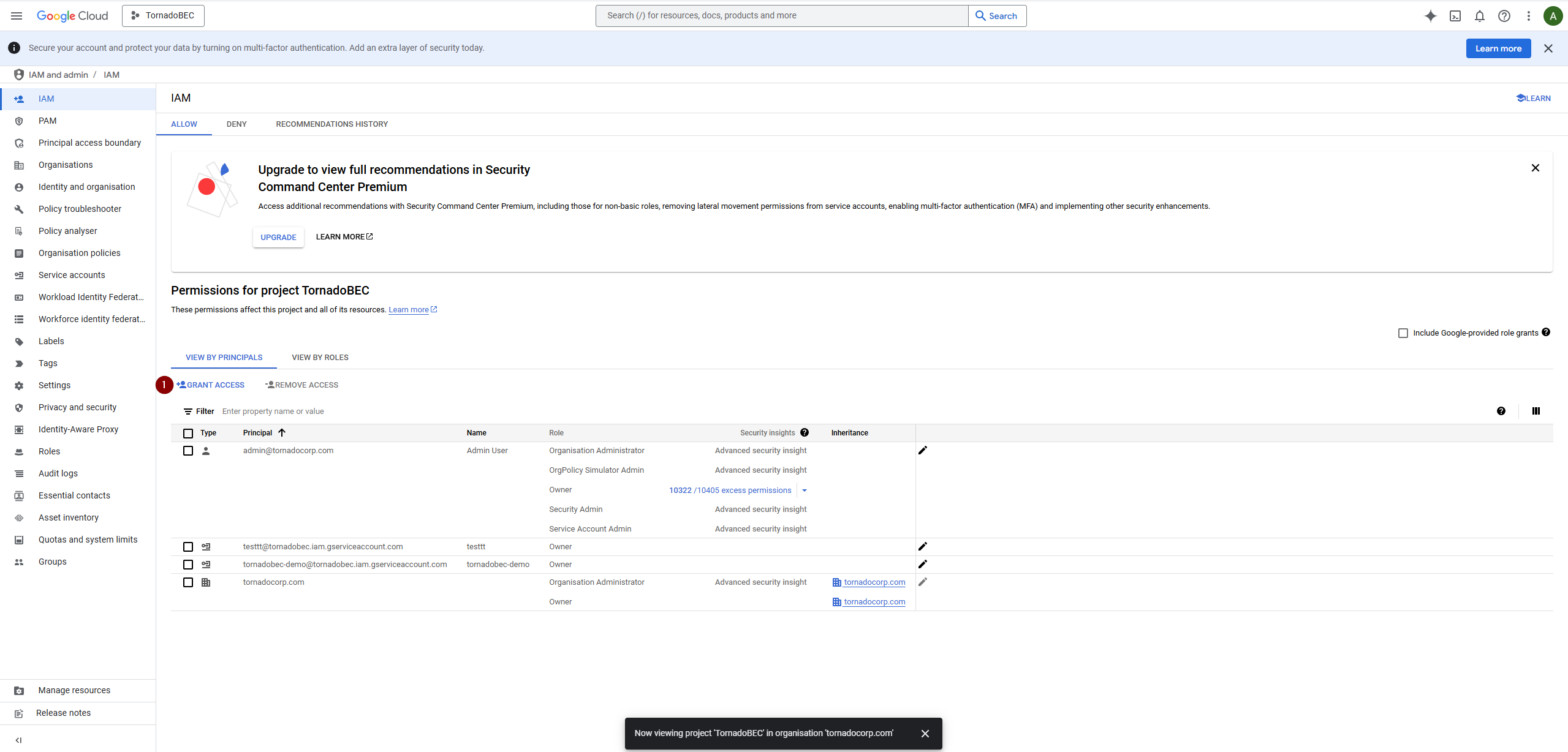
Enable Service Account Key Creation: Fig5
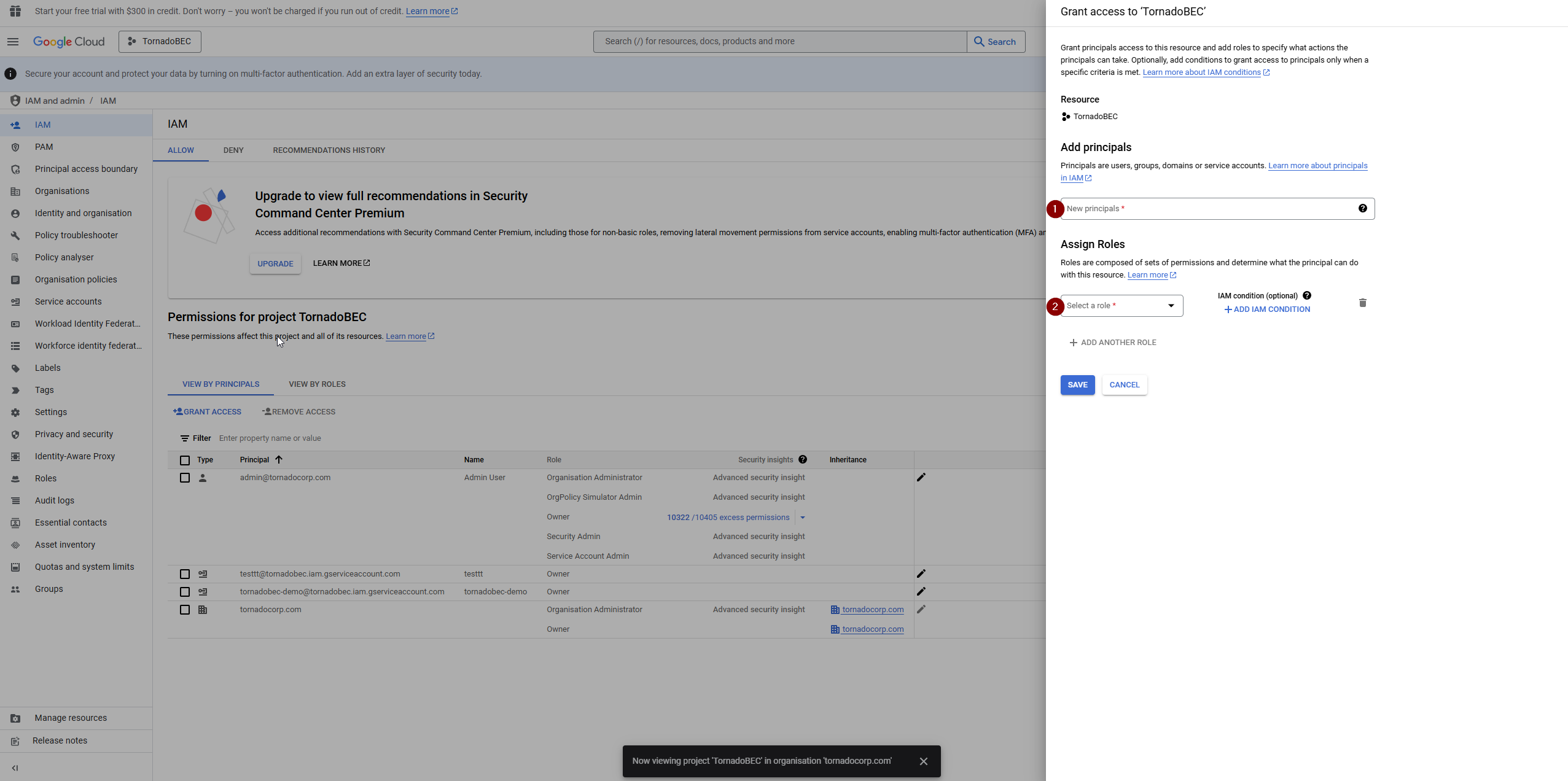
Enable Service Account Key Creation: Fig6
Return to the project context you selected earlier, and go to ‘Organization Policies’.
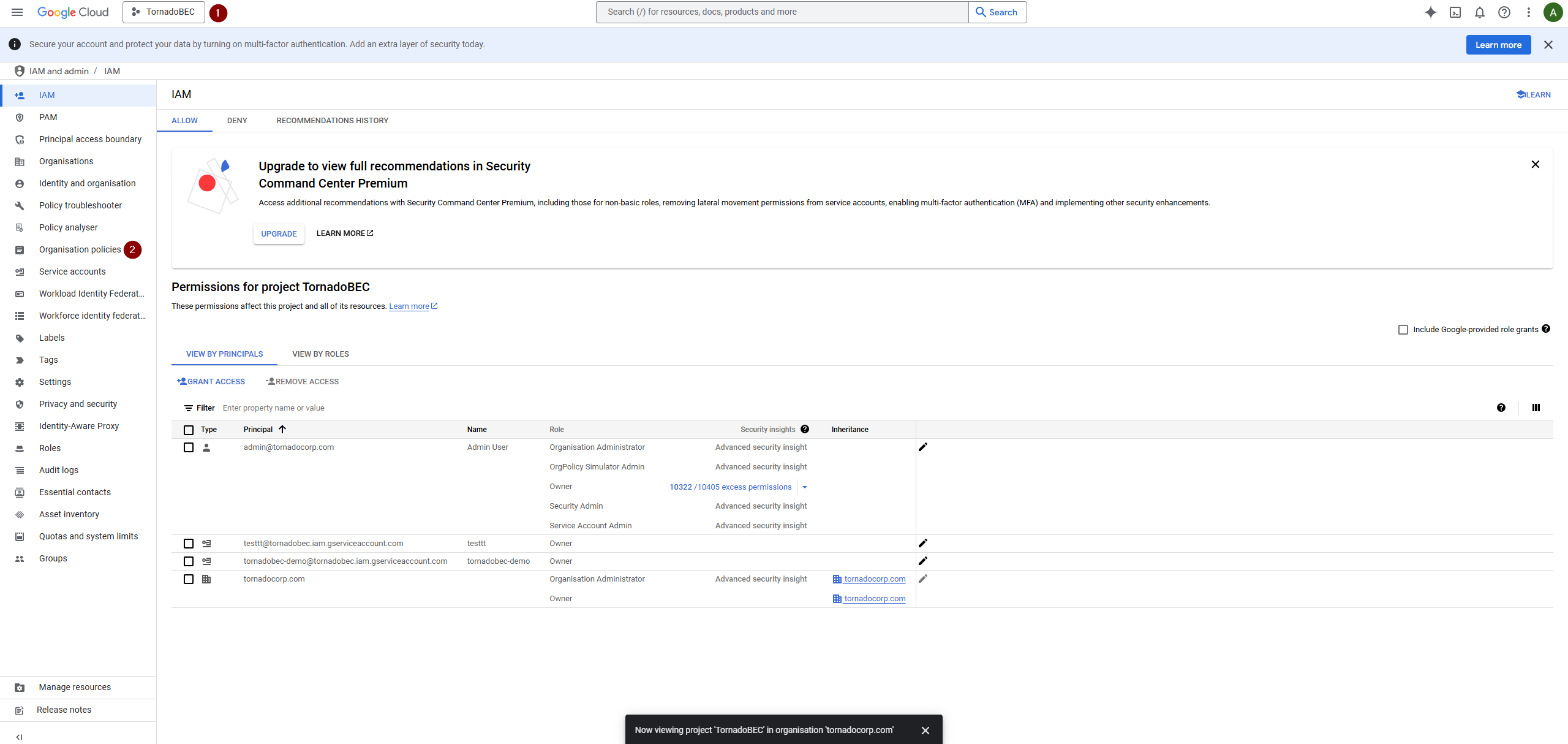
Enable Service Account Key Creation: Fig7
View active policies and look for the policy that disables service account key creation. Select the policy to manage it.
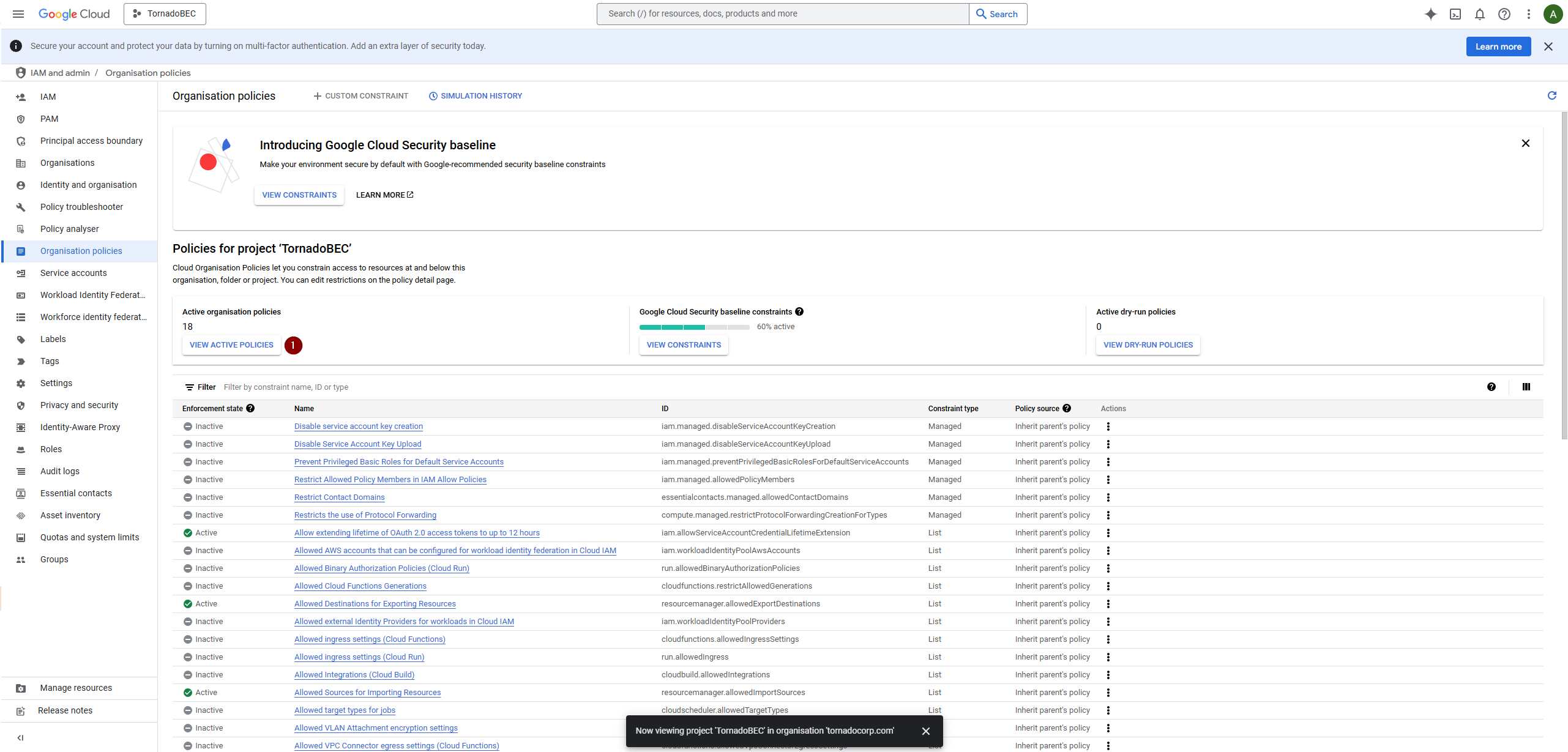
Enable Service Account Key Creation: Fig8
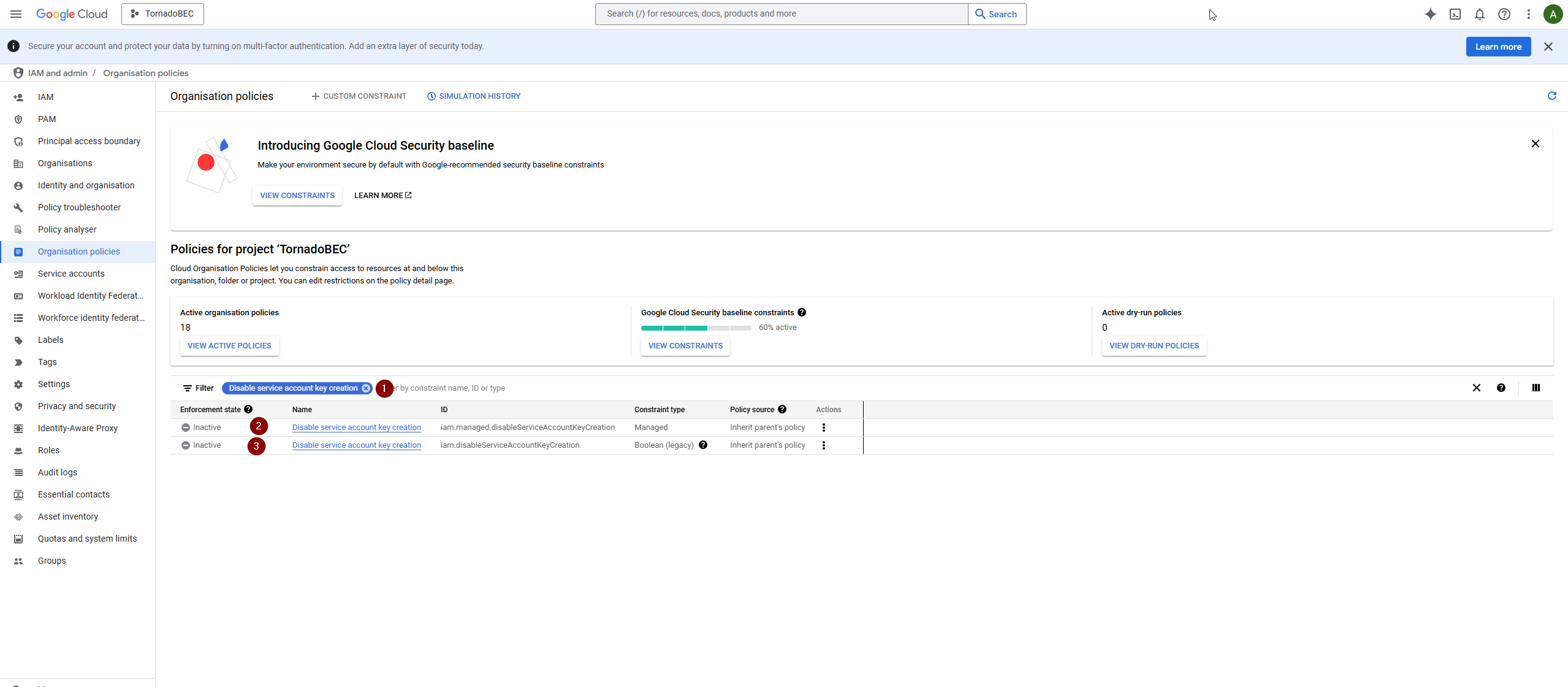
Enable Service Account Key Creation: Fig9
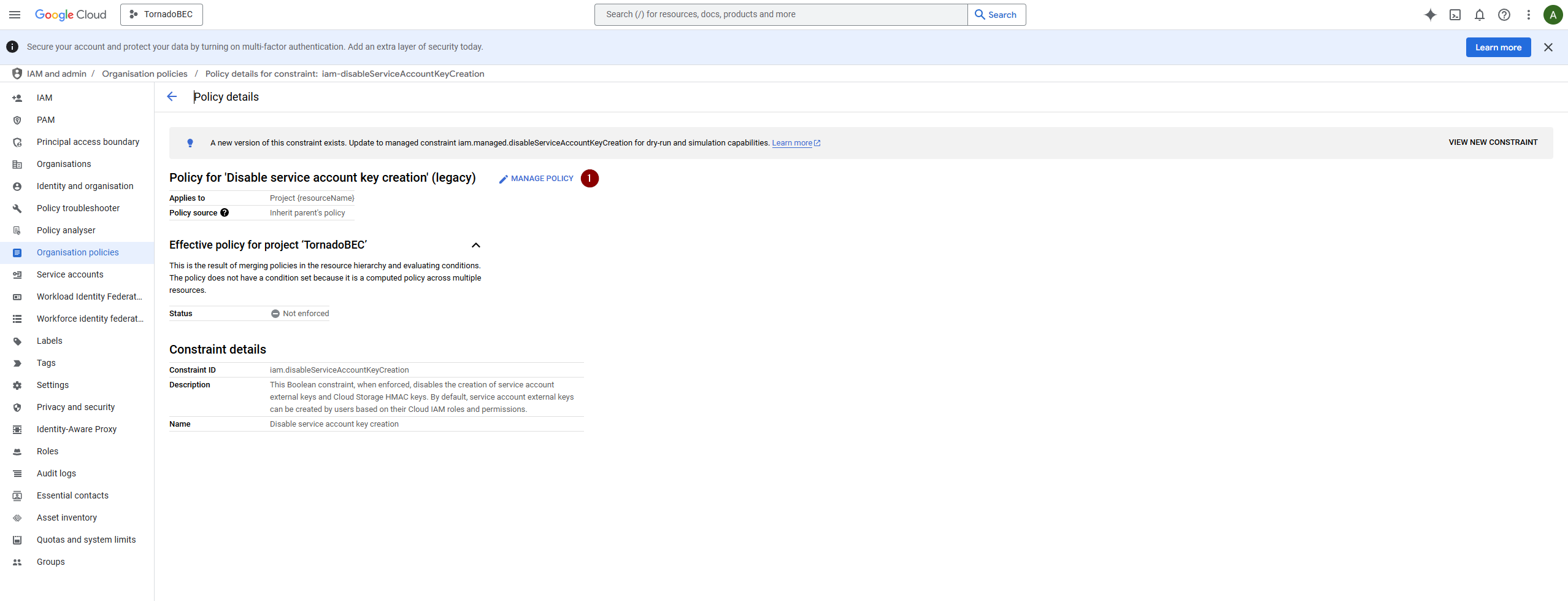
Enable Service Account Key Creation: Fig10
Adjust the policy settings by choosing to override the parent policy and set enforcement to off.
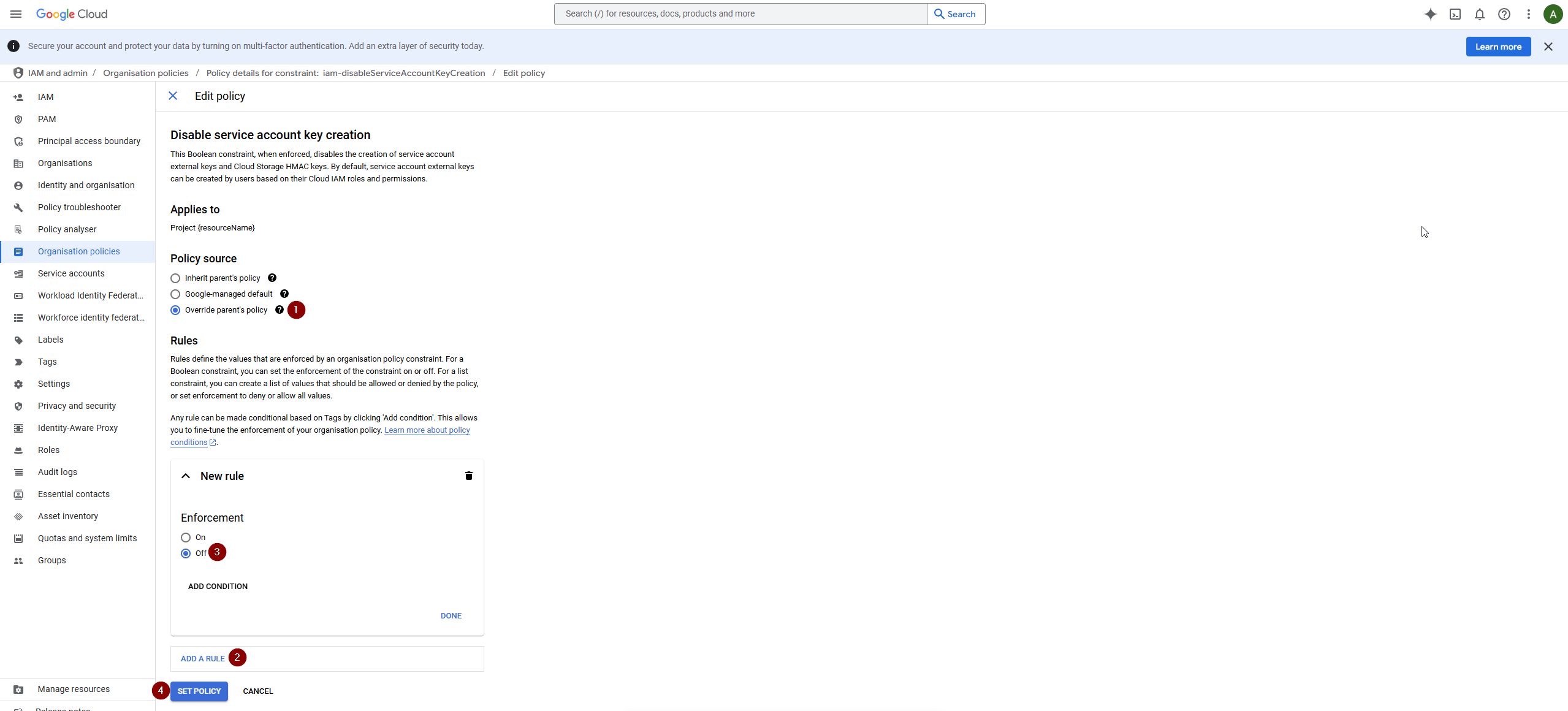
Enable Service Account Key Creation: Fig11
These steps should guide you through resolving policy restrictions to enable the effective creation of service account keys.