

Service Account Creation
Create the access key
Section titled “Create the access key ”Log in to the admin account on your workspace management platform and navigate to the developer’s console:
https://console.developers.google.com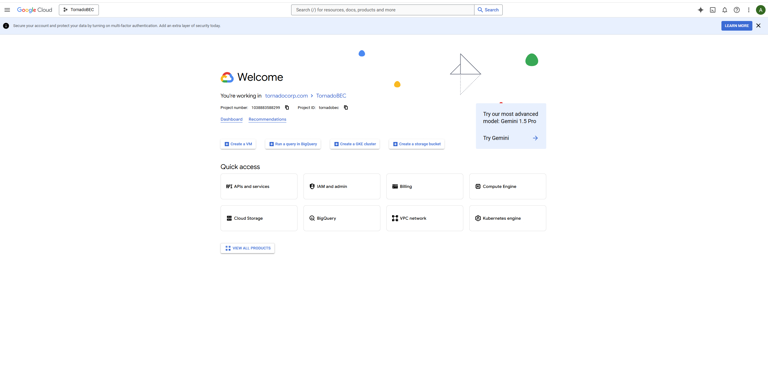
Service Account Creation: Fig1
Select the top left panel to access various administrative features.
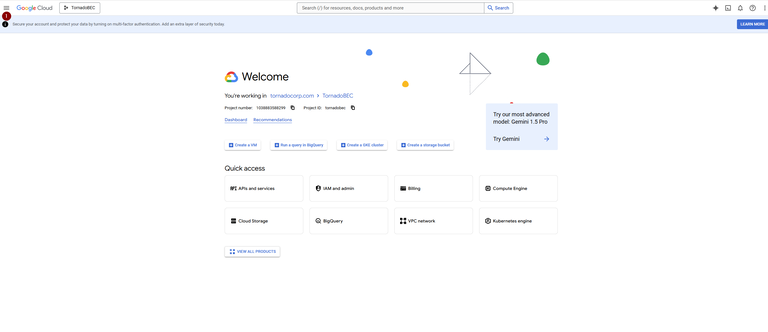
Service Account Creation: Fig2
Create Project
Section titled “Create Project ”From the top left panel, go to “IAM & Admin” and select “Create Project.”
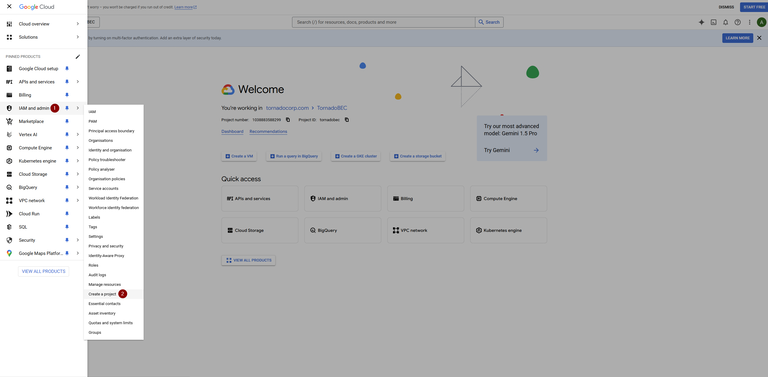
Service Account Creation: Fig3
Fill out the project details, such as name, organization, and location, then click “CREATE.”Create a service account
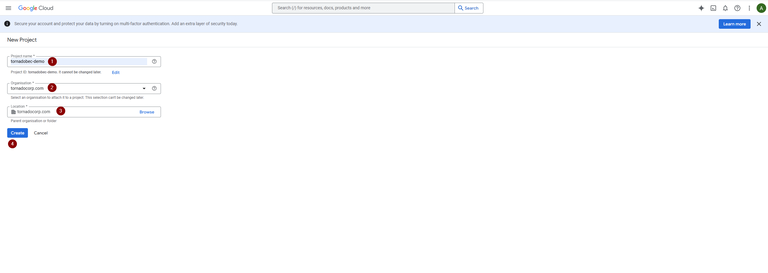
Service Account Creation: Fig4
Create a service account.
Section titled “Create a service account. ”Navigate to “IAM & Admin” and then to “Service Accounts.”
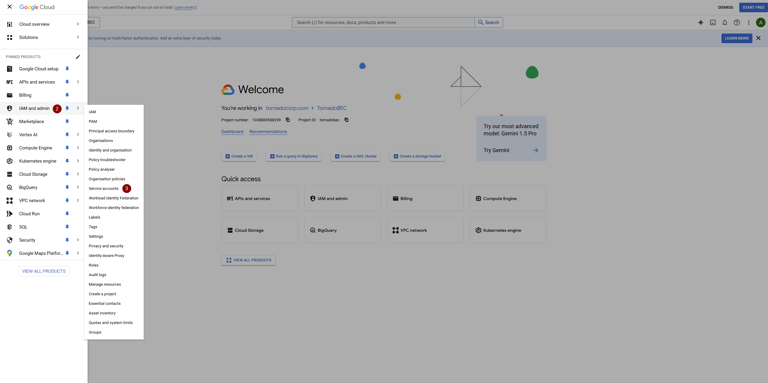
Service Account Creation: Fig5
Click “CREATE SERVICE ACCOUNT” in the service accounts dashboard.
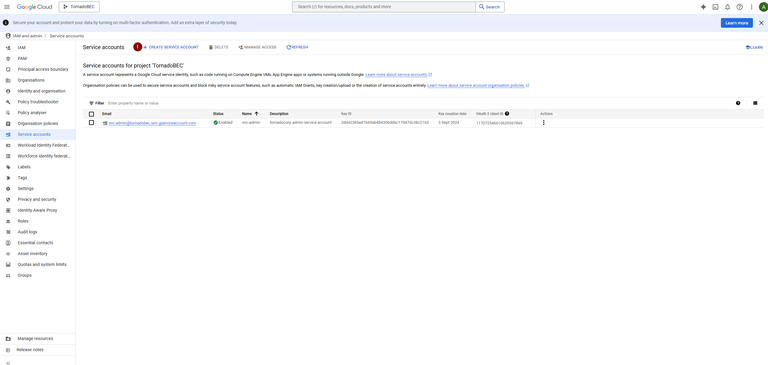
Service Account Creation: Fig6
Provide a name for the service account and proceed by clicking “CREATE AND CONTINUE.”
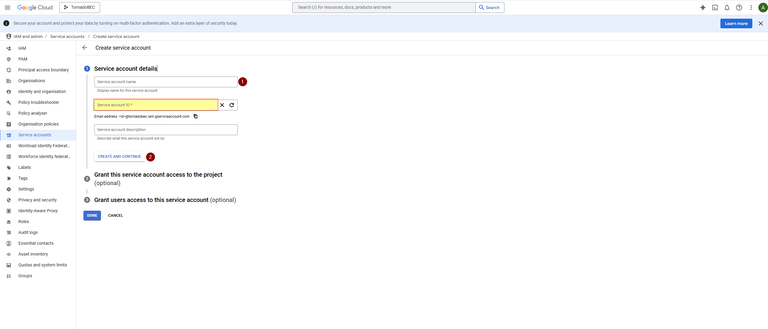
Service Account Creation: Fig7
Assign a role (e.g., Basic -> Owner) to the service account and click “CONTINUE.”
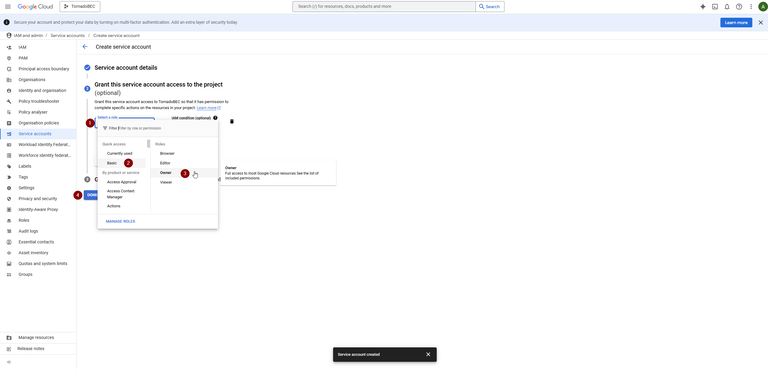
Service Account Creation: Fig8
Optionally, grant user access and finalize by clicking “DONE.”
In the service account details, use the action button (three vertical dots) to manage keys.
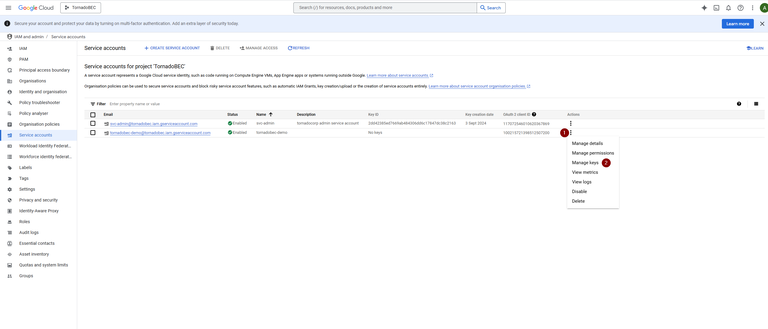
Service Account Creation: Fig9
Select “ADD KEY” and then “Create new key,” choosing the JSON format, which will be downloaded to your desktop.
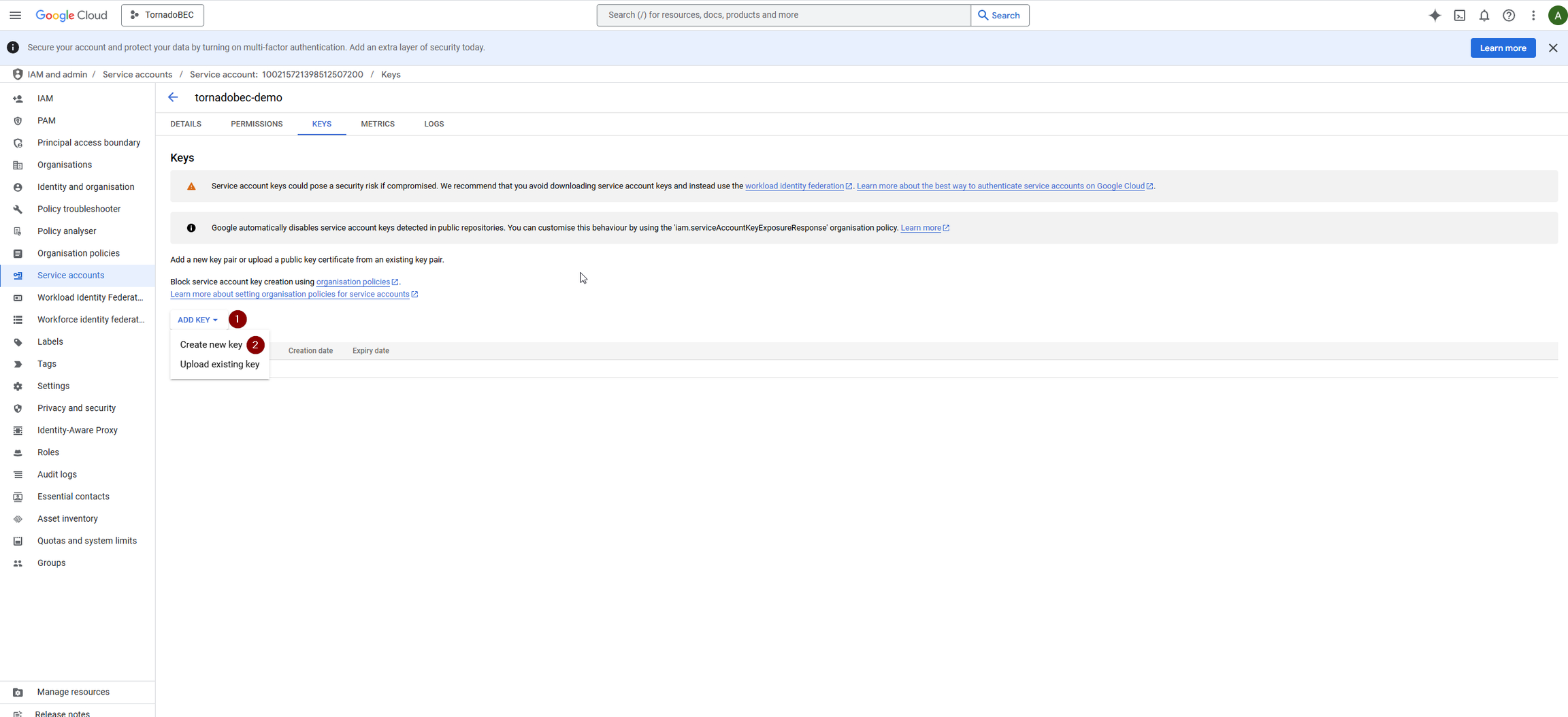
Service Account Creation: Fig10
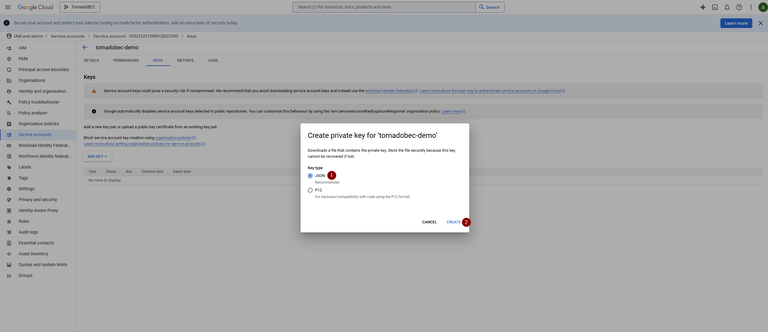
Service Account Creation: Fig11
Note: If there is an issue generating a key, follow additional troubleshooting steps provided: GWS Enable Service Account Key Creation
Copy OAuth 2 Client ID - this will be required.
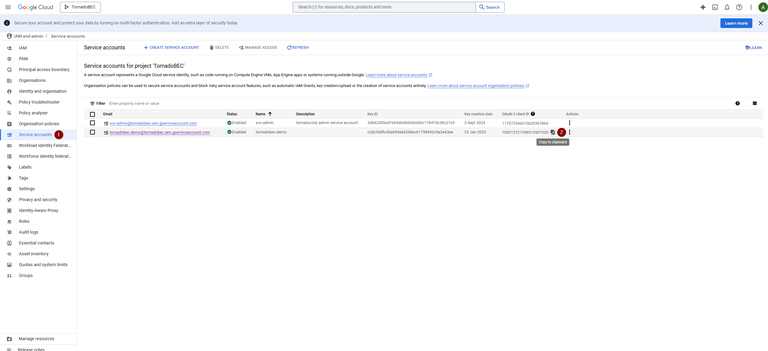
Service Account Creation: Fig12
Enabling API Services
Section titled “Enabling API Services ”Navigate to the APIs & Services dashboard from the top left panel.
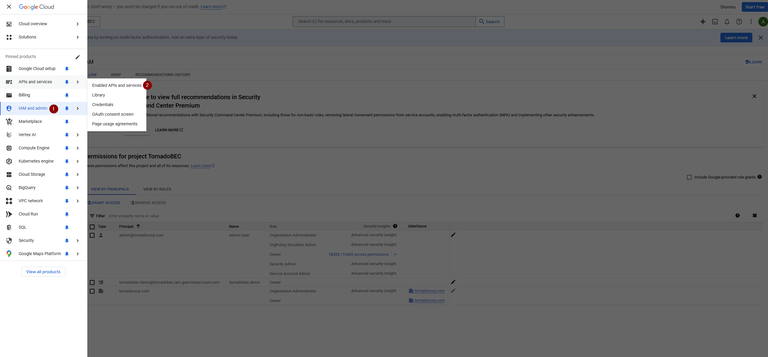
Service Account Creation: Fig13
Click “ENABLE APIS AND SERVICES” and search for the required APIs in the API library. Enable as needed.
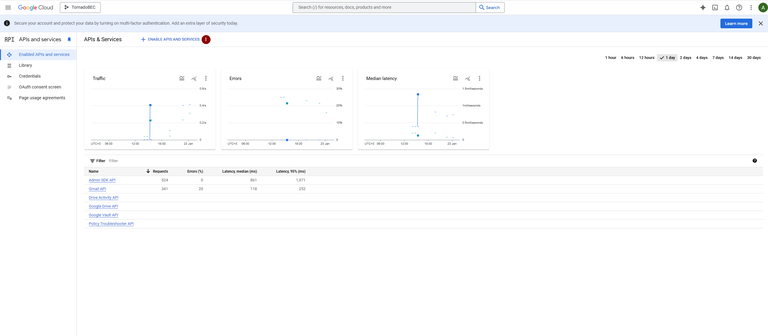
Service Account Creation: Fig14
The table below gives the list of APIs required to be enabled for different data source
| Data source | API |
|---|---|
| Google Drive API | |
Full email messages and metadata Email attachments Custom labels and organization Account settings and filters Email history changes | Gmail API |
User account activities Security settings Domain settings Mobile device management Chrome OS device information Role assignments and definitions | Admin SDK API |
File creation and deletion events Document editing history Sharing and permission changes File access logs Comments and collaborations | Drive Activity API |
| Export logs and details | Google Vault API |
| Permissions and access reasons for resources | Policy Troubleshooter API |
Enable Domain-Wide Delegation
Section titled “Enable Domain-Wide Delegation ”Log in to the admin account and go to the security settings.
https://admin.google.comNavigate to “API controls.”
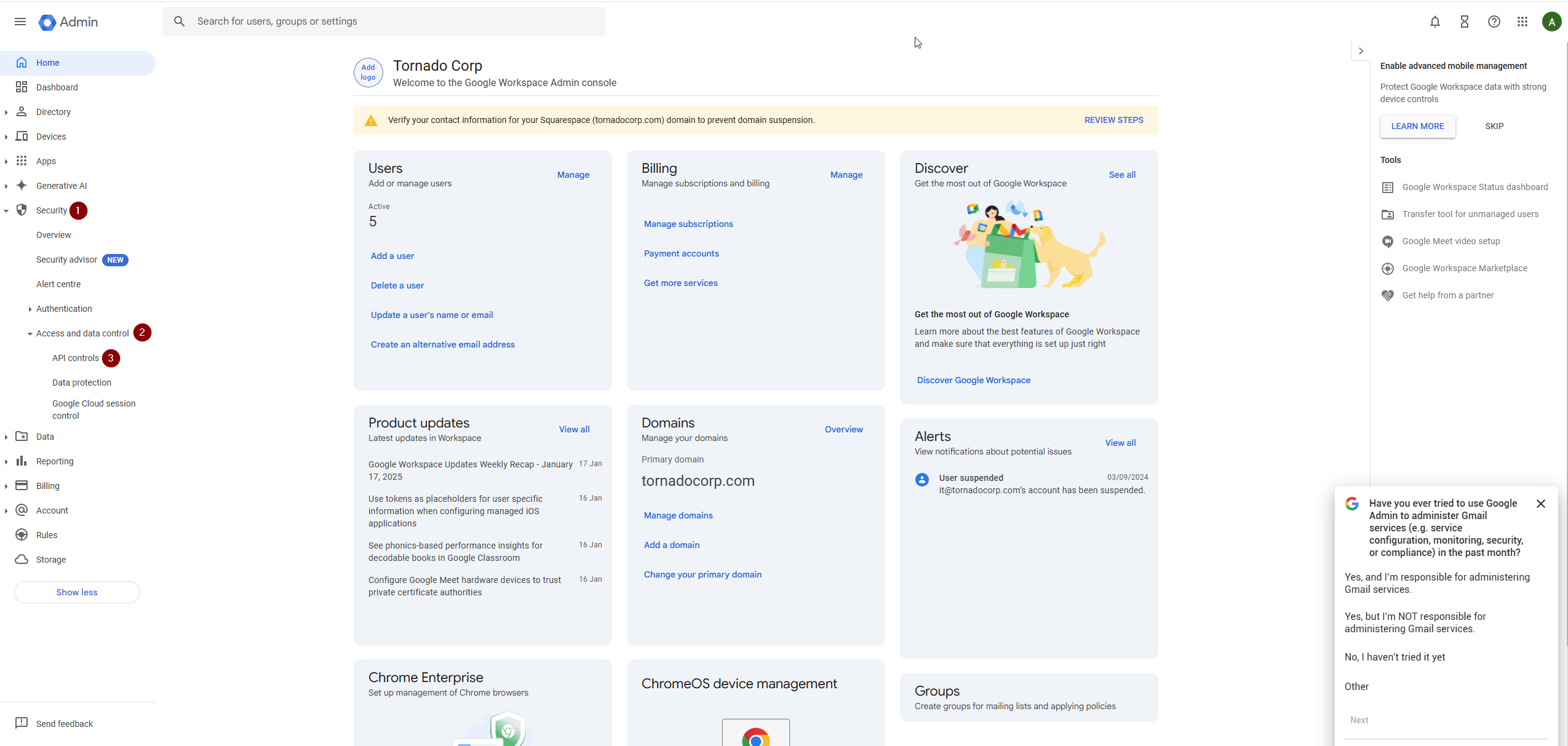
Service Account Creation: Fig15
Select MANAGE DOMAIN-WIDE DELEGATION
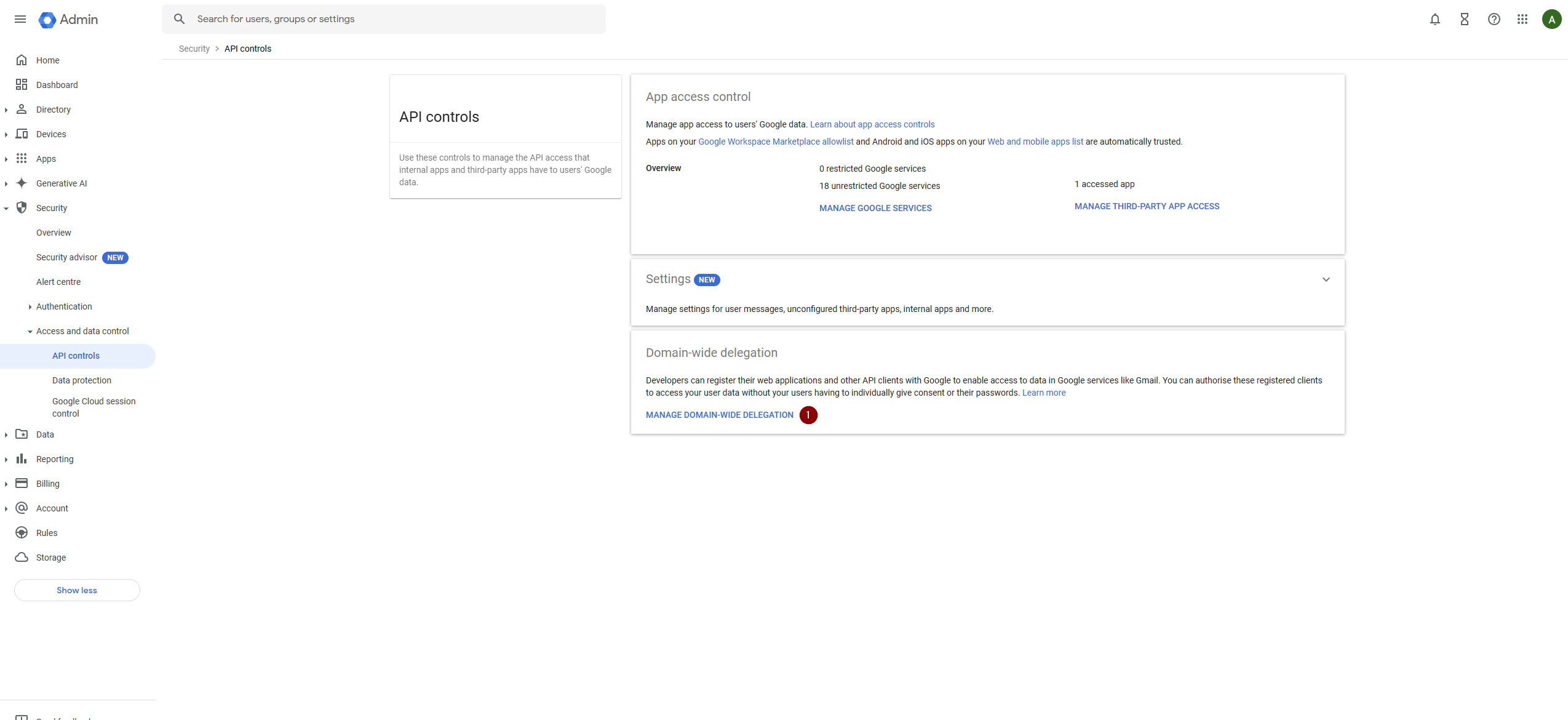
Service Account Creation: Fig16
Click “Add new” and input the Client ID copied earlier.
Provide OAuth scopes for the necessary APIs and authorize.
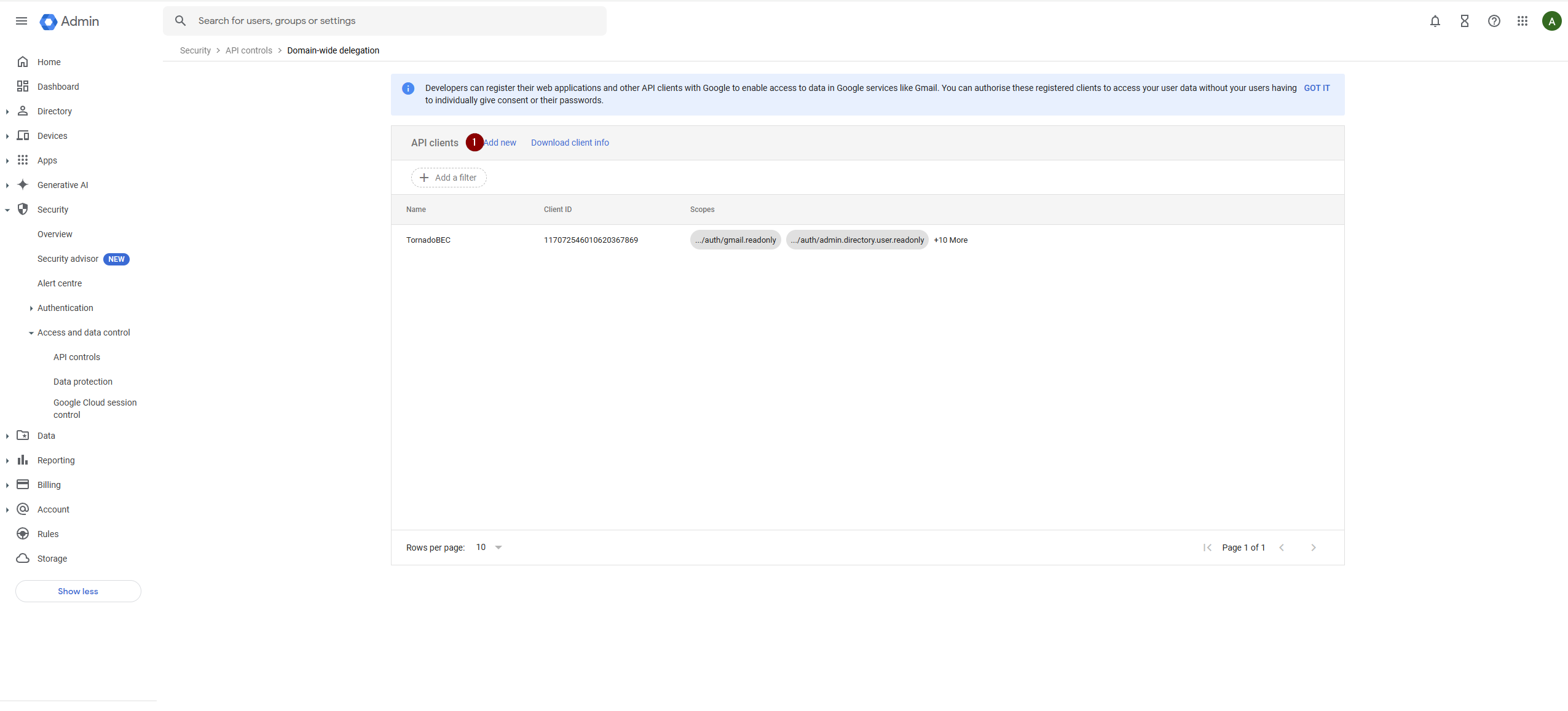
Service Account Creation: Fig17
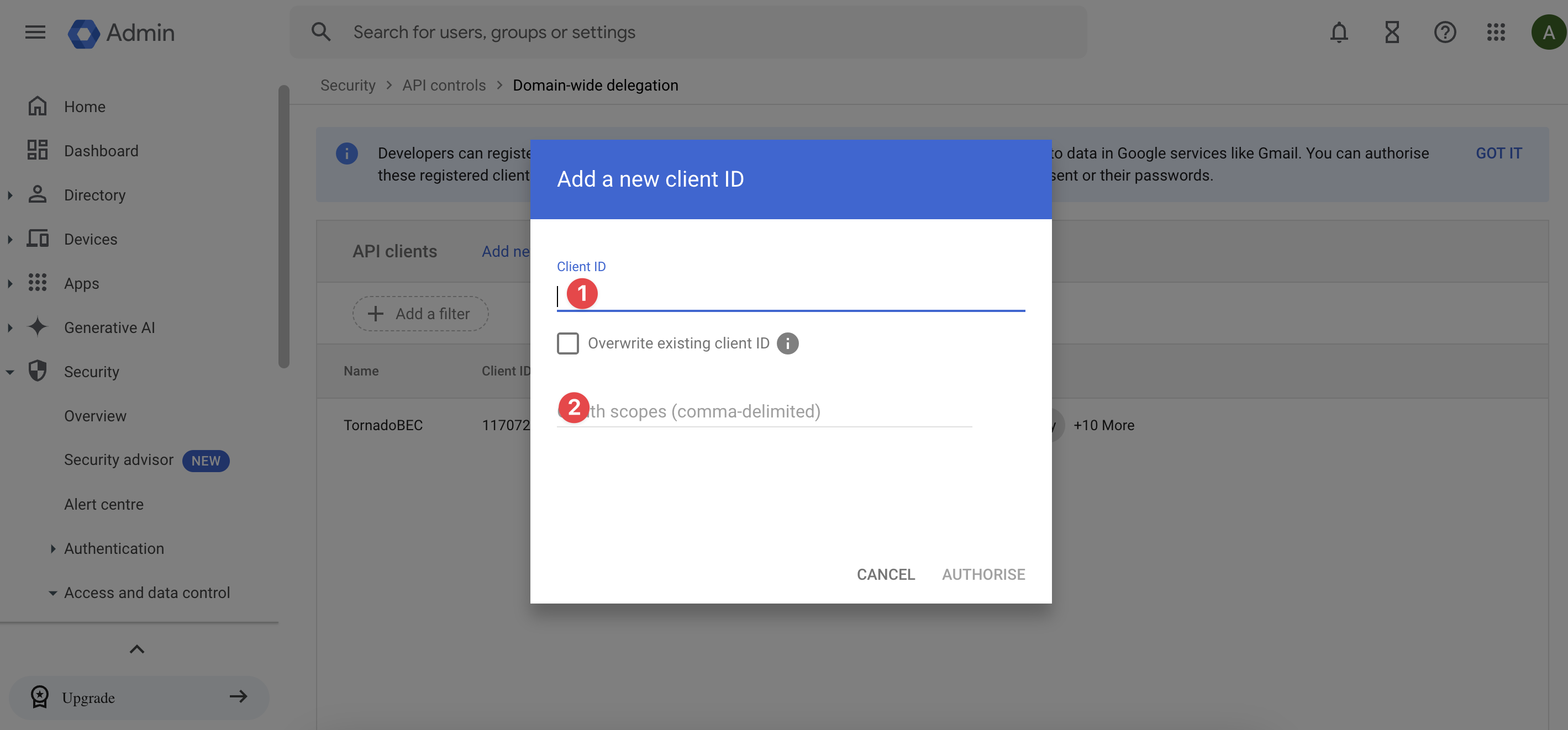
Service Account Creation: Fig18
Note: All these scopes can be used together in a comma-delimited list to provide comprehensive access permissions for a cloud forensic investigation.
Full Scopes:
https://www.googleapis.com/auth/gmail.readonly,https://www.googleapis.com/auth/admin.directory.user.readonly,https://www.googleapis.com/auth/admin.reports.audit.readonly,https://www.googleapis.com/auth/drive.readonly,https://www.googleapis.com/auth/drive.metadata.readonly,https://www.googleapis.com/auth/drive.activity.readonly,https://www.googleapis.com/auth/admin.directory.rolemanagement.readonly,https://www.googleapis.com/auth/admin.directory.domain.readonly,https://www.googleapis.com/auth/admin.directory.device.chromeos.readonly,https://www.googleapis.com/auth/admin.directory.device.mobile.readonly,https://www.googleapis.com/auth/gmail.settings.basic,https://www.googleapis.com/auth/gmail.settings.sharing
| Scope | Key Data Collected |
|---|---|
https://www.googleapis.com/auth/gmail.readonly | Access to read all user email messages and metadata |
https://www.googleapis.com/auth/gmail.settings.basic | Access to manage basic Gmail settings such as filters and forwarding |
https://www.googleapis.com/auth/gmail.settings.sharing | Access to manage Gmail delegate settings |
https://www.googleapis.com/auth/admin.directory.user.readonly | Access to read user information in your domain |
https://www.googleapis.com/auth/admin.directory.rolemanagement.readonly | Access to read roles and permissions assigned to users |
https://www.googleapis.com/auth/admin.directory.domain.readonly | Access to read domain settings and configurations |
https://www.googleapis.com/auth/admin.directory.device.chromeos.readonly | Access to read Chrome OS device information in your domain |
https://www.googleapis.com/auth/admin.directory.device.mobile.readonly | Access to read mobile device information in your domain |
https://www.googleapis.com/auth/admin.reports.audit.readonly | Access to read audit logs of activities within your domain |
https://www.googleapis.com/auth/drive.readonly | Access to read all files a user can access in Google Drive |
https://www.googleapis.com/auth/drive.metadata.readonly | Access to read metadata of all files in Google Drive |
https://www.googleapis.com/auth/drive.activity.readonly | Access to read historical file activities in Google Drive |